Why Generic Supplier Photos Hurt Ecommerce Sales
Unaltered supplier photos lower listing engagement because hundreds of competing sellers share the exact same asset. When multiple stores display identical imagery, buyers cannot easily distinguish your store or evaluate product quality.
The Problem with Shared Stock Photos
Shared factory images fail to establish a distinct brand presence or highlight key usage contexts. Standard factory cutouts often lack warm lighting or context, causing potential buyers to keep scrolling. For strategies on generating varied content, see Dropshipping Secrets: Generate Unique Content from One Supplier Photo with AI.
Lack of Brand Consistency
Relying purely on manufacturer assets leaves your product catalog looking disjointed across different suppliers. A cohesive visual tone builds trust, whereas mismatched supplier backgrounds make a storefront feel unpolished.
Impact on Buyer Engagement
Generic imagery can suppress click-through and purchase rates by failing to highlight real-world scale and usage. Testing shows that replacing generic factory cutouts with contextual product visuals can lead to improved listing click-through rates and stronger conversion performance when the generated scenes accurately represent the physical product.
How AI Transforms Basic Supplier Photos
AI software converts basic supplier photos into custom product imagery by separating the object and placing it into new rendered scenes with matched lighting. This workflow eliminates the need for expensive physical studio sets or advanced graphic design skills.
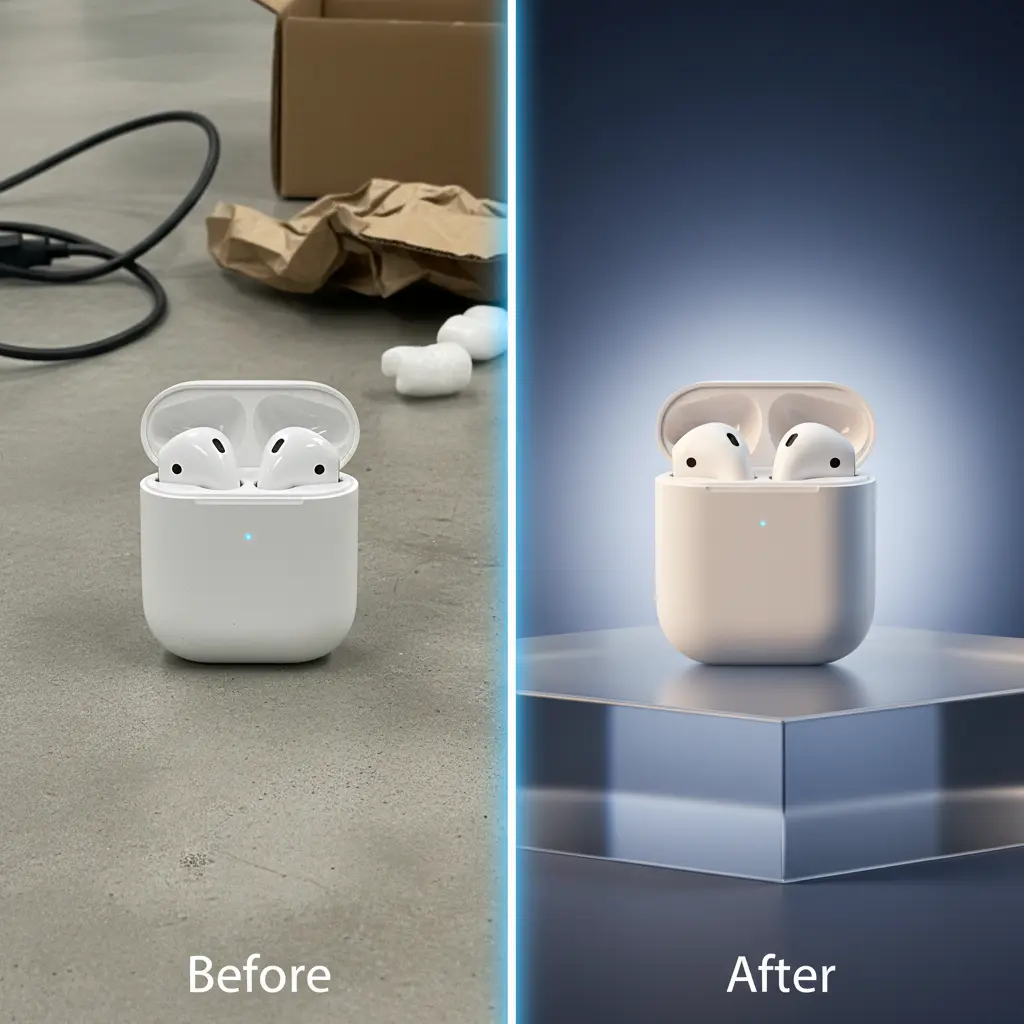
Background Replacement and Scene Composition
Software tools isolate the product from flat backgrounds and position it inside contextual environments. Placing an item in a realistic setting helps shoppers visualize size, context, and daily use.
Shadow and Lighting Alignment
AI models estimate contact shadows and directional light to integrate the product naturally into generated backgrounds. Web applications like My UGC Studio generate aligned lighting and background shadows to produce clean catalog imagery without requiring a dedicated photo studio.
Maintaining Visual Accuracy
The primary objective is producing clean, plausible scenes while My UGC Studio guarantees that the real product stays accurate. Inspecting generated assets against original source photos ensures that details like logos, text, and physical colors remain truthful.
Key Benefits of AI for Product Visuals
Using AI for catalog imagery speeds up content creation, reduces studio costs, and allows rapid creation of styled visuals. These practical advantages enable merchants to test visual styles efficiently.
Production Speed
Generative tools create new product scenes in minutes rather than requiring multi-week photo shoots. Fast turnarounds help store owners launch new catalog items and test seasonal variations quickly. For more workflow tips, see UGC Content Workflow for Small Shopify Brands in 2026: An AI-Powered Guide.
Reduced Content Spend
Generating digital scenes avoids venue rentals, prop sourcing, and staging costs. With Starter plans at $19 per month for 50 credits ($0.38 per image generation), testing new visuals remains affordable. For detailed comparisons, see Replace Expensive Studio Shoots with AI in 2026.
Catalog Differentiation
Custom backgrounds give dropshipped items a distinct visual identity that sets them apart from competitor listings. Distinct presentation helps establish brand recall across paid channels and store pages.
How to Create Product Visuals in Under 30 Minutes
Creating custom product page images in 30 minutes follows a simple step-by-step workflow centered on preparation and verification. Following structured steps keeps your visual pipeline fast and accurate.
-
1. Upload a Clear Product Source Photo
Select a high-resolution, sharp photo of the item where labels and edges are clearly visible. A clean smartphone photo or supplier cutout with good lighting works best as an input for My UGC Studio.
-
2. Select Environment and Style Settings
Choose an appropriate template or prompt that fits your brand aesthetic and target customer. Options range from clean countertop settings to modern indoor spaces. For prompt guidance, read Mastering AI Image Prompts for Ecommerce Conversions in 2026.
-
3. Generate and Verify Outputs
Run the image generation step and carefully evaluate the produced results against the original physical item. Inspect logos, text legibility, color accuracy, and geometry at 100% zoom before approving any asset.
-
4. Export and Publish to Store
Download approved images or publish them directly to your store catalog. Preparing multi-angle shots takes under half an hour when using efficient web workflows.
Preparing Source Imagery
Starting with a clear, well-lit image ensures the software isolates edges correctly. Avoiding heavy blur or glare in the original photo leads to cleaner background integration.
Setting Scene Context
Selecting backgrounds relevant to product usage helps buyers understand application and sizing. Matching the visual environment to customer expectations improves perceived product quality.
Quality Control and Rejection
Generating multiple options allows you to discard outputs that distort labels or alter colors. Assuming an illustrative 60% acceptance rate, the effective spend per accepted Starter image ($0.38 / 0.6) is approximately $0.63 plus manual review time.
How AI Photography Compares to Traditional Methods
AI photography offers faster output and lower upfront costs compared to studio shoots, though traditional photography allows full physical control. Comparing workflows highlights where generative software provides practical speed advantages.
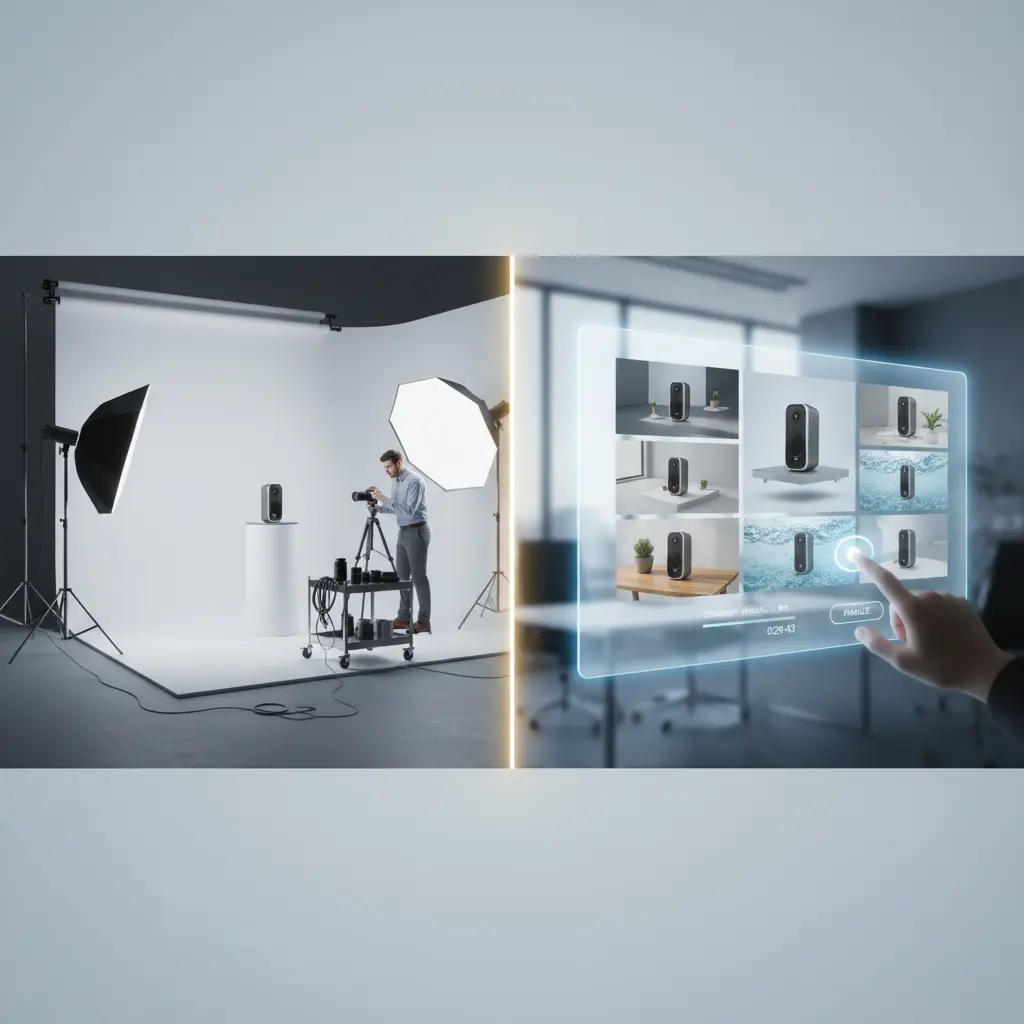
Workflow Comparison Table
The table below outlines key operational differences between physical shoots and generative AI tools.
| Factor | Traditional Studio Workflow | AI-Powered Workflow |
|---|---|---|
| Setup Time | Days to weeks for scheduling, props, and studio hire | Minutes to upload source photo and set options |
| Cost Model | Current quote required; include editing and usage rights | Subscription credits ($0.38 per image generation on Starter) |
| Revision Speed | Requires physical reshoots or manual Photoshop editing | Fast regeneration with adjusted settings or prompt |
| Scalability | Constrained by physical space, budget, and logistics | High batch capability for catalog expansions |
| Quality Control | Direct physical control over lighting and placement | Ordinary generators require manual rejection of altered outputs, whereas My UGC Studio guarantees product accuracy |
Consistency Across Catalog
While studio shoots provide physical precision, AI platforms like My UGC Studio maintain consistent lighting across catalog updates. Keeping uniform shadows across all product detail pages creates a cohesive store appearance. To scale production, see How to Scale UGC Content in Dropshipping with AI.
How Product Visuals Influence Conversion Rates
High-quality product visuals influence conversion rates by answering buyer questions about texture, color, and context. Providing clear visual details builds customer confidence throughout the shopping experience.
Improving Ad and Page CTR
Distinct lifestyle backgrounds draw customer attention on social feeds and collection pages better than plain cutouts. Clearer visual context encourages users to click through and explore listing details.
Supporting Purchasing Decisions
Contextual scenes help shoppers envision using the item in their daily lives. Placing items in realistic settings supports conversions on storefronts like Shopify, as discussed in Shopify Product Page Images with AI in 2026.
Targeting Audience Segments
Generative tools allow sellers to create varied scene backgrounds tailored to different buyer demographics. Adapting visual aesthetics to specific market segments helps improve engagement without separate photo shoots.
Overcoming Challenges with AI Visuals
Unlike general generators that require quality checks for distorted labels, My UGC Studio guarantees product accuracy while scene elements change. General-purpose generative engines frequently hallucinate minor details on complex packaging.
Effective ecommerce visual workflows depend on rigorous quality control. Always verify that generated images preserve exact product labels and physical proportions before publishing.
Verifying Product Integrity
Selecting e-commerce focused tools helps reduce geometric warping, but manual verification remains essential. General generators like Midjourney or Stable Diffusion often scramble packaging text. My UGC Studio guarantees product accuracy—preserving logos, text, and physical details—so review focuses on scene composition and channel fit.
Iterative Refinement Strategy
If an initial render contains defects, adjust the background style or upload a clearer source photo. Retrying generations with cleaner inputs usually solves background clipping and shadow misalignment.
The Future of AI Product Photography
The future of AI product photography involves faster generation, automated batch processing, and tighter store catalog integrations. Emerging software features continue to simplify workflow management for online retailers.

Personalized Shopping Visuals
Upcoming ecommerce tools may personalize background styles based on regional preferences or seasonal trends. Adapting images dynamically can help merchants offer tailored visual experiences.
Integrated Catalog Workflows
Direct store integrations allow merchants to generate, inspect, and deploy images without manual file downloads. Streamlined publishing pipelines save significant labor for growing ecommerce catalogs, as detailed in AI Product Photography for Dropshipping in 2026.
How to Start Updating Your PDP Visuals
Updating your product detail page visuals with AI is an effective way to improve listing quality while keeping budgets under control. Moving away from generic supplier photos helps build an authentic store brand.
Getting Started with My UGC Studio
My UGC Studio offers web app and Shopify workflows to turn clean product photos into custom e-commerce images and short motion clips. New accounts receive a 25-credit signup bonus once upon registration (allowing up to 25 image generations to evaluate output quality). Paid subscriptions start at $19/month for 50 credits. Start by uploading a clear photo of your product to test background generation today.
Measuring Creative Return on Investment
Track performance by monitoring conversion rate, bounce rate, and customer return rates after updating listing images. Replacing identical supplier assets with accurate, high-quality visuals creates a distinct storefront that earns customer trust.