Why do free AI UGC generators fail basic ecommerce quality checks?
Free, open-source AI tools are trained on broad, unstructured datasets containing billions of random internet photos. Free, open-source AI tools are trained on broad, unstructured datasets containing billions of random internet photos. This wide training focus means they excel at creating dreamlike landscapes or stylized paintings, but they fail when asked to maintain the exact details of a physical commercial product. When an online retailer tries to use these tools for product catalog updates, the generative model struggles with basic spatial awareness and specific manufacturing tolerances. A cosmetic jar, a smart coffee mug, or a high-end leather boot requires precise straight lines, perfect symmetrical curves, and clean text labels. Free generators typically distort these details, creating a slightly warped product card that feels off to the trained consumer eye.
Furthermore, general-purpose models do not prioritize commercial product protection. They treat your uploaded product asset as a flexible artistic guide rather than an unchangeable reference point. This means a container lid might be rendered as slightly melted, or a metallic finish might turn into a grainy plastic texture. When these warped visuals are published on active sales channels, they immediately communicate a lack of professional standards and attention to detail.
The giveaway anomalies that trigger buyer skepticism
In addition to product distortion, these general-purpose tools suffer from an inability to separate the main subject from its surrounding background. In addition to product distortion, these general-purpose tools suffer from an inability to separate the main subject from its surrounding background. When rendering a lifestyle scene, they often blend the product's boundaries with nearby elements, such as a bottle merging into a marble kitchen counter or a strap on a backpack melting into a human shoulder. These visual anomalies are not just cosmetic annoyances; they are immediate indicators that the business is not using real photography. Shoppers are highly sensitive to these tells, as outlined in our analysis on how to spot AI UGC tells that kill customer trust. Without dedicated systems that isolate the product model during generation, free platforms will continue to produce visuals that fail standard retail quality checks.
Facial repetition and the loss of unique brand identity
Another common issue is facial repetition. Another common issue is facial repetition. Because free tools draw from limited, highly reused open-source directories, they repeatedly generate the same five or six face templates. This means your brand's virtual model might look identical to the model used on hundreds of cheap dropshipping sites, stripping away any sense of unique brand identity. If a prospective customer sees the exact same generated face promoting a teeth-whitening kit, a low-quality mass-market watch, and your premium skincare line, they will immediately associate your brand with low-grade dropshipping operations.
How distorted visuals directly damage your store conversion rates
An online store's conversion rate relies heavily on the perceived quality of its product photos. An online store's conversion rate relies heavily on the perceived quality of its product photos. When a potential buyer visits a Shopify product page, they use visual cues to assess whether the merchant is legitimate. If the photos contain odd visual glitches, such as a hand with six fingers holding a beverage container, or a logo that looks blurred and unreadable, the shopper immediately suspects a fraudulent site. This visual mismatch triggers a high bounce rate, directly wasting the ad spend used to acquire that visitor. For marketplaces like Amazon, poor listing quality leads directly to suppressed search rankings and lower sales velocity, a trend discussed in our guide on common Amazon image mistakes that reduce listing quality.
Furthermore, when product photos are generated inaccurately, customers frequently receive items that do not match the on-site imagery. This mismatch leads to high return rates and an influx of customer service tickets. If a shopper orders a leather bag because they loved the rich texture in an AI-generated image, but receives a synthetic bag with a different strap alignment, they will demand a refund. The hidden cost of free tools is therefore not just low-converting ads, but also the physical operational costs of returns, shipping fees, and negative reviews that permanently tarnish your online reputation. Using high-fidelity visuals is critical for maintaining healthy profit margins and keeping support queues manageable.
Six real-world scenarios where free AI tools fail and how to fix them
To help you navigate these visual issues, here are six practical scenarios showing where free platforms fail and how to correct the visual approach. To help you navigate these visual issues, here are six practical scenarios showing where free platforms fail and how to correct the visual approach.
Scenario 1: Shopify product page refresh for a beauty brand
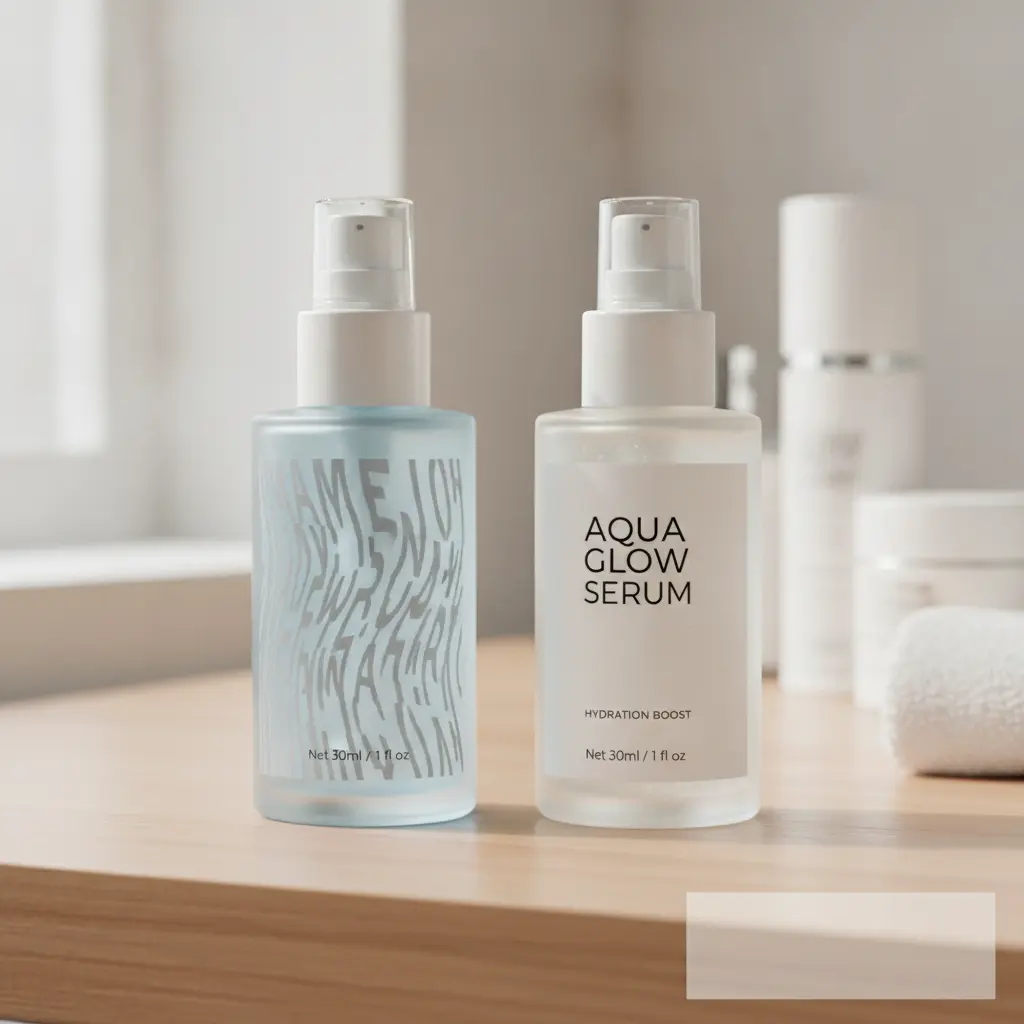
Situation: A store wants to add lifestyle photos of people applying their signature facial serum to increase add-to-cart metrics.
Recommended creative approach: Upload a clear photo of the actual bottle and apply a specialized model that preserves the container labels while placing it in a realistic bathroom setting.
Alternative option: Traditional studio photography, which is slow and costs thousands of dollars.
What to avoid: Generating a serum bottle from scratch using text prompts, which creates a generic container that does not match the actual product shipped to customers.
Explanation: When customers receive a product that looks different from the store images, return rates surge and trust is broken.
Scenario 2: Amazon listing update for a premium ergonomic office chair
Situation: An Amazon seller needs lifestyle images of a chair in home office environments to replace a plain white-background photo.
Recommended creative approach: Use an image-to-image process that locks the chair geometry and swaps out the home decor styles around it.
Alternative option: Renting a studio space and hiring a moving crew to transport the heavy chair for a physical shoot.
What to avoid: Prompting a general AI tool to make an office chair from scratch, which results in inaccurate levers, wheels, and frame dimensions.
Explanation: Amazon buyers zoom in on technical details; any visual discrepancy between the photo and the actual item leads to negative reviews.
Scenario 3: TikTok short-form ad creative test for dog harnesses
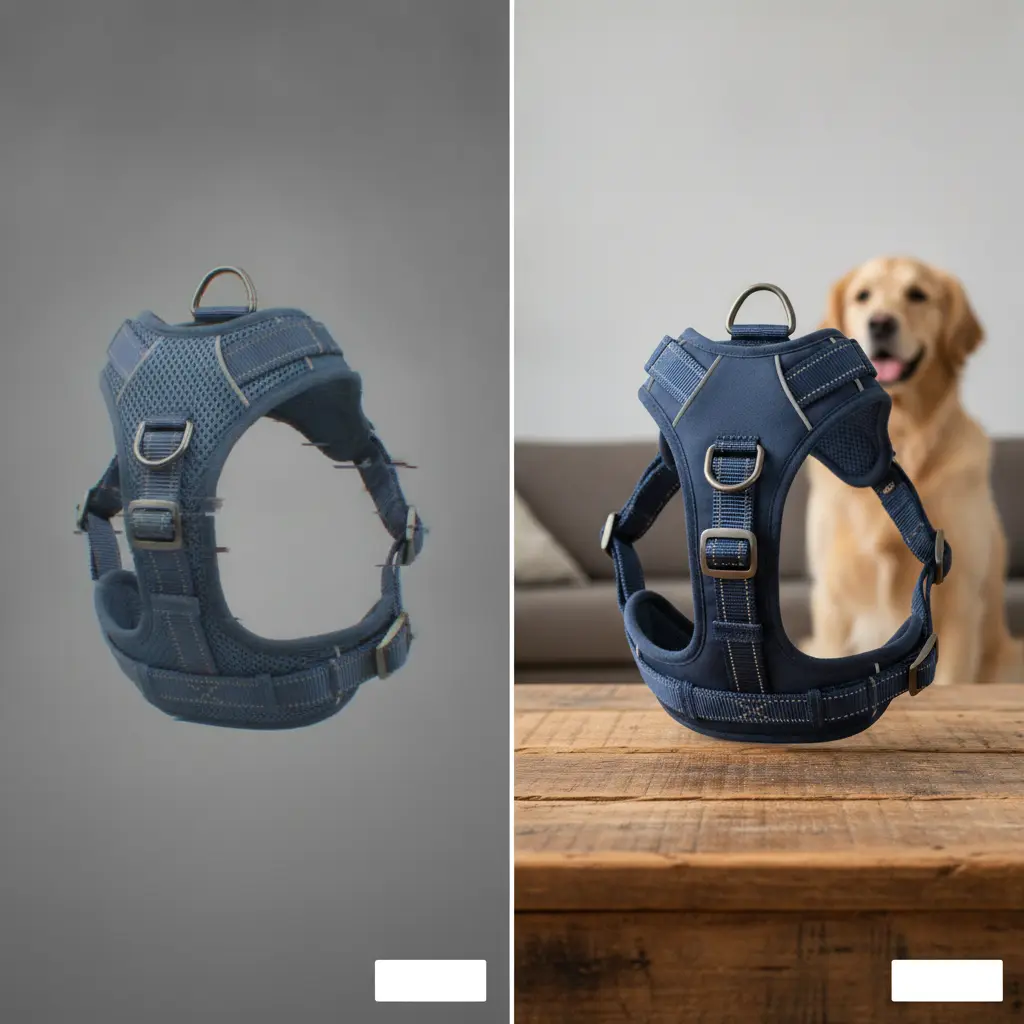
Situation: A pet brand needs raw-looking video stills and image ads featuring different dog breeds wearing their specific safety harness.
Recommended creative approach: Take high-resolution source photos of the harness on a flat surface and use specialized UGC generation to fit it onto various breeds in outdoor park settings.
Alternative option: Hiring six dog owners and a coordinator to run an outdoor photo session.
What to avoid: Relying on free AI tools that produce dogs with strange paw counts, misaligned harness buckles, or detached leashes.
Explanation: Pet owners are highly observant and will immediately call out anatomical mistakes in social media comment sections, killing the ad relevance score.
Scenario 4: Pinterest creative batch for a handmade jewelry line
Situation: A jewelry merchant wants to create 50 unique Pins featuring their silver rings on hand models in lifestyle settings.
Recommended creative approach: Input clean, close-up shots of the rings and use a specialized system to place them on realistic hands with natural skin textures and accurate finger shapes.
Alternative option: Manually taking photos of friends wearing the rings under sunlight.
What to avoid: Free prompt-based generation that creates unrealistic hands, distorted ring bands, or gemstone textures that look like cheap plastic.
Explanation: Jewelry relies heavily on close-up aesthetics; any sign of bad rendering destroys the perceived value of premium silver or gold.
Scenario 5: Multi-country ad rollout for a localized meal prep kit
Situation: A subscription food brand needs localized imagery for Germany, France, and Spain with authentic local kitchen backdrops and appropriate utensils.
Recommended creative approach: Take a master photo of the packaged ingredients and use a regionalized background swapping process to adapt the surrounding kitchen decor for each target country.
Alternative option: Setting up individual physical kitchens or hiring local agencies in Berlin, Paris, and Madrid.
What to avoid: Using generic, sterile AI kitchens that feel like stock photos and do not match local culinary habits or architectural details.
Explanation: Shoppers connect more deeply with localized contexts, but a mismatched kitchen layout looks confusing and out of place.
Scenario 6: eBay listing revamp for a refurbished high-end coffee grinder
Situation: A reseller needs to stand out from hundreds of identical listings by showing the coffee grinder in a busy espresso bar setting.
Recommended creative approach: Upload the actual photograph of the refurbished unit and use a specialized style background generator to place it on a concrete countertop next to coffee beans.
Alternative option: Bringing the heavy grinder into a local cafe during closed hours to shoot manually.
What to avoid: Allowing the AI to change the grinder brand logo, dial configurations, or steel finish details during the background blend.
Explanation: Buyers of refurbished electronics look closely at cosmetic conditions; modifying the actual look of the product constitutes deceptive advertising.
A comparison of generic generators versus professional ecommerce pipelines
To help you evaluate your visual strategy, the following table compares key operational features between generic free AI generators and specialized professional ecommerce pipelines. To help you evaluate your visual strategy, the following table compares key operational features between generic free AI generators and specialized professional ecommerce pipelines.
| Feature or Asset Requirement | Free AI UGC Generators | Professional Pipelines (My UGC Studio) |
|---|---|---|
| Product Geometric Accuracy | Distorts product shape, curves, and packaging edges | Locks physical dimensions and retains geometric accuracy |
| Text and Brand Logo Quality | Warps typography, making labels entirely unreadable | Maintains sharp, pixel-perfect rendering of logos and text |
| Anatomical Realism | Frequently outputs extra fingers, warped limbs, or plastic skin | Renders natural human skin textures, correct anatomy, and lifelike posture |
| Lighting and Shadow Logic | Places products in environments with conflicting shadows and flat lighting | Synthesizes realistic cast shadows and directional light based on environment |
| Batch Image Production | Generates completely different styles and colors for each run | Enables bulk generation while keeping a uniform catalog aesthetic |
| Commercial Image Ownership | Often keeps public rights to your generated product assets | Grants full commercial rights and keeps uploaded assets private |
| Ad Network Moderation | High risk of automated rejection due to synthetic spam patterns | Clean, premium outputs pass platform moderation checks instantly |
| Shopify Catalog Syncing | Requires manual download, renaming, and slow manual uploads | Streamlined direct export ready for immediate store publishing |
| Lifestyle Location Variety | Generates generic backgrounds with frequent architectural errors | Places products in realistic, geographically accurate environments |
| Model Selection Control | Uses unpredictable facial models with repetitive, template looks | Provides curated demographic models to match your specific customer persona |
How can you scale visual assets without triggering ad fatigue?
Ad fatigue is a persistent challenge for modern ecommerce brands. Ad fatigue is a persistent challenge for modern ecommerce brands. As social media users scroll past the same visuals repeatedly, click-through rates decline, driving up the cost of customer acquisition. To combat this, marketing teams must continuously feed fresh creative variations into their active campaigns. However, generating dozens of unique images weekly using physical photoshoots is financially unsustainable for most growing brands. This is why many brands turn to automated production, but attempting this with free tools often results in visual chaos. Each batch of images comes out looking completely different, lacking a cohesive brand identity and confusing prospective buyers.
To scale your creative output without losing visual consistency, you must adopt a structured process that preserves your core brand aesthetic. By keeping the main product unchanged and simply altering the lifestyle backgrounds, models, or seasonal themes, you can generate numerous ad variants that still look like they belong to the same premium brand. This balanced approach allows small Shopify brands to compete with much larger competitors, as discussed in our detailed guide on how to set up an AI-powered UGC content workflow. Keeping your visual assets aligned ensures that your retargeting ads look just as polished as your initial prospecting campaigns, protecting your overall brand equity. For video channels, you can also explore creating high-converting UGC video ads to balance your static image assets.
How to keep 500 product photos visually consistent with My UGC Studio
Maintaining a cohesive visual style across a catalog of hundreds of products is incredibly difficult when using standard tools. Maintaining a cohesive visual style across a catalog of hundreds of products is incredibly difficult when using standard tools. This is where a dedicated platform like My UGC Studio provides an organized workflow designed specifically for the needs of growing online stores. Instead of struggling with unpredictable text prompts that change your product shapes, our platform uses a style-locking workflow to ensure that your physical items remain completely unchanged while generating realistic lifestyles around them. This process is essential when you want to create lifestyle product photos without a photoshoot, saving time and money while preserving absolute product accuracy.
The operational process is simple and highly structured:
- Upload your product asset: Start by uploading a high-resolution photograph of your product, such as an insulated water bottle, a skincare container, or a piece of jewelry.
- Lock the product geometry: Select the shape, logo, and texture bounds to ensure the AI engine holds these details perfectly intact throughout the generation process.
- Choose your visual direction: Select from a wide variety of curated templates, lifestyles, and demographic models available in the My UGC Studio Gallery.
- Select your target demographic: Define the hand shapes, skin tones, and facial styles of the virtual model to match your specific target audience.
- Generate a consistent batch: Generate dozens of lifestyle images in one click, with consistent lighting, shadow angles, and localized backgrounds.
- Quality Assurance and Publish: Conduct a final review of the generated visuals to ensure realistic proportions, then export the files directly to your Shopify store, Amazon catalog, or Meta ad campaigns.
By shifting from chaotic, prompt-based tools to a structured, product-first pipeline, brands can produce premium visual assets in minutes instead of weeks. This approach is highly effective at reducing client acquisition overhead, as discussed in our article on My UGC Studio vs ChatGPT. To see how other brands have used this approach to improve their catalog presentation and lower content costs, you can view our current plans on our pricing page.
Using professional-grade AI tools allowed us to replace a full week of model bookings and studio rental with a two-hour digital workflow, keeping our brand look perfectly uniform across 400 catalog variants.