The Purpose of Amazon Secondary Images
Secondary visuals address customer hesitation, explain practical benefits, and set accurate expectations before purchase. While Amazon's main image must meet strict white-background requirements, secondary images let sellers illustrate scale, texture, and real-world usage. Shoppers scan listing carousels quickly to decide if a product meets their needs, making clear infographic overlays and accurate lifestyle angles critical for lowering buyer friction and return rates.
For instance, an office chair listing might show adjustable lumbar support, dimension diagrams, fabric close-ups, and an in-use lifestyle scene. Addressing functional details early helps set realistic expectations. Learn how to plan complete listing graphics in our guide on Amazon Listing Images with AI: Main Image, Secondary Images, A+ Visual Workflow.
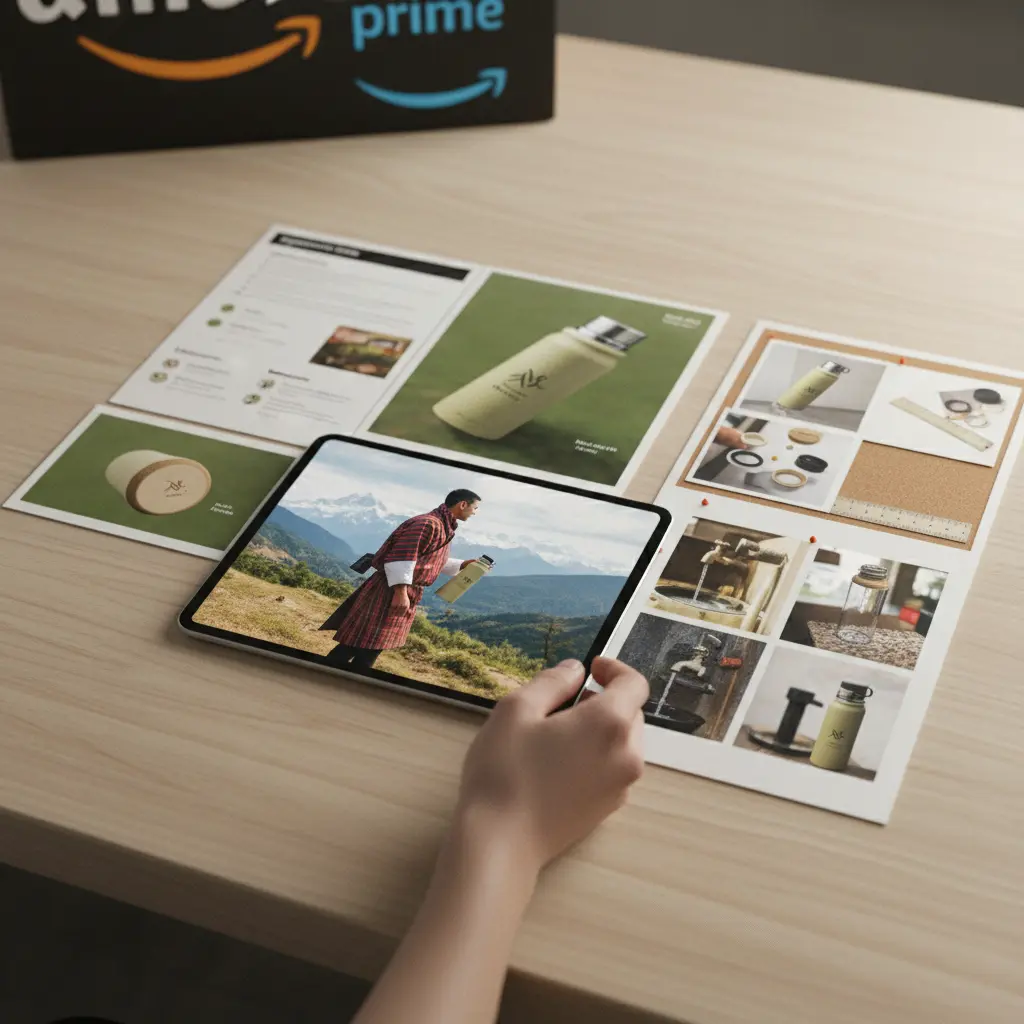
Showcasing Product Features and Details
Buyers inspect details to verify material quality, assembly requirements, and exact physical proportions. Strong feature callouts translate physical inspection into visual clarity. Focus on high-resolution close-ups, key component diagrams, and dimensional overlays that replace guesswork.
- Component Breakdown: Highlight individual parts, accessories, or assembly steps with clean labels so buyers understand what arrives in the box.
- Material Quality: Capture detailed surface textures, stitching, or metal finishes to set accurate tactile expectations.
- Unique Mechanisms: Show adjustable hinges, folding frames, or unique latches in clear multi-step diagrams.
- Dimensions and Scale: Display clear measurements in inches or centimeters alongside relatable physical references like a hand or desk.
- Technical Specifications: Convert complex specs into readable graphic charts covering weight limits, voltage, or material certifications.
Scenario: New Kitchen Gadget Launch
Situation: Launching a multi-use kitchen tool with interchangeable blades where buyers worry about assembly and blade safety.
Recommended Creative Approach: Build graphic callout images displaying each slicing mode, blade safety latch diagrams, and a clear packaging inventory image.
Alternative Option: Upload a short 5-second to 10-second product video to the listing media block demonstrating smooth blade attachment.
What to Avoid: Cluttered diagrams with tiny text or stock photos that show unrelated kitchenware instead of the actual SKU.
Explanation: Segmented diagrams answer functional questions quickly and help buyers confirm the product meets their exact needs. Learn more in Elevating Amazon Listing Visuals with AI, No Studio Required.
Lifestyle Visuals: Demonstrating Use Cases
Lifestyle photos contextualize your SKU, helping shoppers gauge real-world scale, environment fit, and usage scenarios. Effective lifestyle visual assets show the item in its intended environment, whether on an office desk, in a modern kitchen, or outdoors. Ensure the rendered product retains exact brand logos, colors, and proportions without distortion.
When planning lifestyle shots, consider target environments and customer needs. Amazon shoppers browse quickly, so visual clarity is key. Learn more about visual conversion principles in Amazon visual optimization guidelines.
Scenario: Selling a Minimalist Backpack
Situation: Selling an urban commuter backpack where shoppers need to verify laptop fit, pocket organization, and weather resistance.
Recommended Creative Approach: Show the backpack worn in daily city environments paired with an exploded compartment diagram demonstrating laptop and bottle storage.
Alternative Option: Generate a 5-second product motion video highlighting pocket accessibility and zipper functionality.
What to Avoid: Over-edited lifestyle renders that distort strap geometry, hide zipper placement, or obscure accurate sizing.
Explanation: Accurate contextual images reassure buyers regarding proportions and practical wearability, lowering return risk.
Visuals That Answer Customer Questions and Overcome Objections
Secondary images should directly target recurring customer questions and prevent misinterpretation. Reviewing common customer support inquiries or competitor reviews reveals common purchase hesitations. Visual answer graphics, care icons, and compatibility tables solve these questions instantly.
| Use Case | Best Creative Approach | What To Avoid |
|---|---|---|
| Sizing & Fit | Clear scale overlays, dimension charts, and relative object comparisons | Vague measurements or unreadable mobile fonts |
| Compatibility | Graphic tables listing supported models and port connections | Unverified compatibility claims or missing model lists |
| Installation/Setup | Numbered step-by-step diagrams showing tool-free assembly | Blurry component photos or skipped setup steps |
| Care & Maintenance | Clear iconography for washing, cleaning, or storage instructions | Unclear care symbols without explanatory text |
| Durability | Close-up shots of reinforced stitching, metal joints, or water seals | Generic slogans without showing structural reinforcement |
| Safety Features | Visual callouts for child-lock latches, certifications, or grip bases | Claiming unverified safety standards without proof |
| Environmental Impact | Factual material origin labels and recyclable packaging graphics | Unsubstantiated eco claims without material callouts |
| Package Contents | A complete flat-lay graphic showing all inbox cables, adapters, and manuals | Ambiguous item counts or missing accessory images |
Scenario: Selling an Advanced Coffee Maker
Situation: Selling a specialty coffee maker where buyers frequently ask about water filter installation and cleaning routines.
Recommended Creative Approach: Design an infographic illustrating filter replacement steps, detachable drip tray assembly, and an explicit inbox checklist graphic.
Alternative Option: Add a 10-second maintenance video showing water reservoir removal and filter insertion directly to the listing video slot.
What to Avoid: Leaving care procedures unexplained or relying on dense text blocks that mobile shoppers ignore.
Explanation: Clear graphic answers eliminate pre-purchase doubts and lower return rates caused by buyer confusion. Review common pitfalls in Why Your Amazon Images Are Failing: Common Mistakes to Avoid .
Leveraging AI for Scalable Secondary Image Production
AI tools streamline secondary image workflows, but outputs must be manually checked against physical SKUs. Generative visual apps turn smartphone photographs into lifestyle background scenes or video assets. However, because generative models can shift packaging details, every generated image must be visually checked against the source SKU before manual upload to Amazon Seller Central.

The AI Workflow for Secondary Images
A systematic process turns clear source images into compliant secondary assets. Sellers can import clean product photos into My UGC Studio, which guarantees that the real product's shape, colors, logos, and packaging text stay completely accurate while placing the item into realistic background scenes for download and upload to Amazon.
- Background Removal & Isolation: Upload a well-lit photo with legible text to segment the product clean from its background.
- Scene Generation: Choose background styles like marble countertops or outdoor settings that fit your target usage scenario.
- Model Integration: Position products into lifestyle contexts with generated human models, ensuring proportions and seams remain realistic.
- Infographic Elements: Export scene renders into graphic design software to add dimension arrows, text overlays, and specification callouts.
- Localization: Translate text overlays for international Amazon marketplaces (such as Amazon.de or Amazon.co.uk). See Global Ecommerce Visuals: AI Localization for Diverse Markets for details.
Scenario: Expanding Product Line for Shopify and Amazon
Situation: An ecommerce brand with 10 new SKUs needs lifestyle and infographic graphics for both Shopify store pages and Amazon listings.
Recommended Creative Approach: Upload clean photo sources for each SKU to generate studio and lifestyle background options. On My UGC Studio's Starter plan ($19/month for 50 credits), 50 image generations cost a nominal $0.38 per image. MyUGC guarantees product visual accuracy (logos, shape, and labels), so your final QA focuses purely on overall composition, lighting, and channel suitability.
Alternative Option: Produce short 5-second product motion videos (10 credits each) for key hero SKUs. For Shopify workflow details, see How to Create Shopify Product Page Images with AI That Increase Conversion Rate.
What to Avoid: Using generic image generators that alter logos and distort product details, or assuming automated background apps sync directly with Amazon without composition review.
Explanation: Calculating cost per usable creative using subscription spend, retries, and editing labor provides realistic budget estimates. Review plan structures on My UGC Studio Pricing.
Best Practices for Amazon Secondary Images
Adhere to technical seller guidelines and perform strict quality assurance before publishing. Follow Amazon category standards, test image order, and compare every generated visual against the real product before uploading.
- High Resolution: Provide high-resolution files (at least 1000 pixels on the longest side) to enable Amazon's zoom function.
- Mobile Optimization: Use large, clear fonts and high-contrast callouts so infographics remain readable on mobile phone screens.
- Diversity in Content: Balance lifestyle context, dimension graphics, ingredient callouts, and inbox contents across the six secondary slots.
- Consistency: Maintain consistent color temperature, lighting style, and font choices across all listing images.
- A/B Testing: Run Amazon Experiments to compare secondary image order and test lifestyle scenes against feature infographics.
- Compliance: Check Amazon category policies to ensure secondary images omit promotional text, pricing, or unverified seller claims.
Scenario: Optimizing an Existing Amazon Listing
Situation: An active Amazon listing receives returns because shoppers misunderstand product texture and application methods.
Recommended Creative Approach: Update secondary graphics with a 100% zoom texture shot on a hand, step-by-step application instructions, and a clear ingredient breakdown graphic.
Alternative Option: Combine real user reviews with accurate studio graphics to set proper expectations. For dropshipping workflows, see UGC Content for Shopify Dropshippers: A Practical 2026 Workflow Guide.
What to Avoid: Adding generic lifestyle images that fail to show product consistency or texture details.
Explanation: Addressing recurring customer doubts directly in secondary slots sets clear expectations and reduces returns.