The Purpose of Amazon Secondary Images
Beyond the primary white-background image, secondary visuals serve as your virtual sales associate. Beyond the primary white-background image, secondary visuals serve as your virtual sales associate. They illustrate the product's value proposition, helping customers understand what they are buying. Effective secondary images prevent misunderstandings and manage expectations, which is essential in a platform where physical interaction with a product is impossible. Amazon buyers scroll through images quickly, making each visual an opportunity to convey a specific benefit or detail without requiring extensive text reading. Strategic use of these images can significantly impact your conversion rates and customer satisfaction. It's not just about filling the slots; it's about telling a complete story about your product.
For example, a seller of ergonomic office chairs might use a main image with a clean product shot. Their secondary images would then visually break down the chair's adjustable lumbar support, demonstrate its recline function with a person using it comfortably, show fabric close-ups, and include dimension charts. This multi-faceted visual approach addresses practical concerns and emotional desires, moving the buyer closer to a purchase decision. Discover how to improve all your Amazon visuals with AI in our guide on Amazon Listing Images with AI: Main Image, Secondary Images, A+ Visual Workflow.
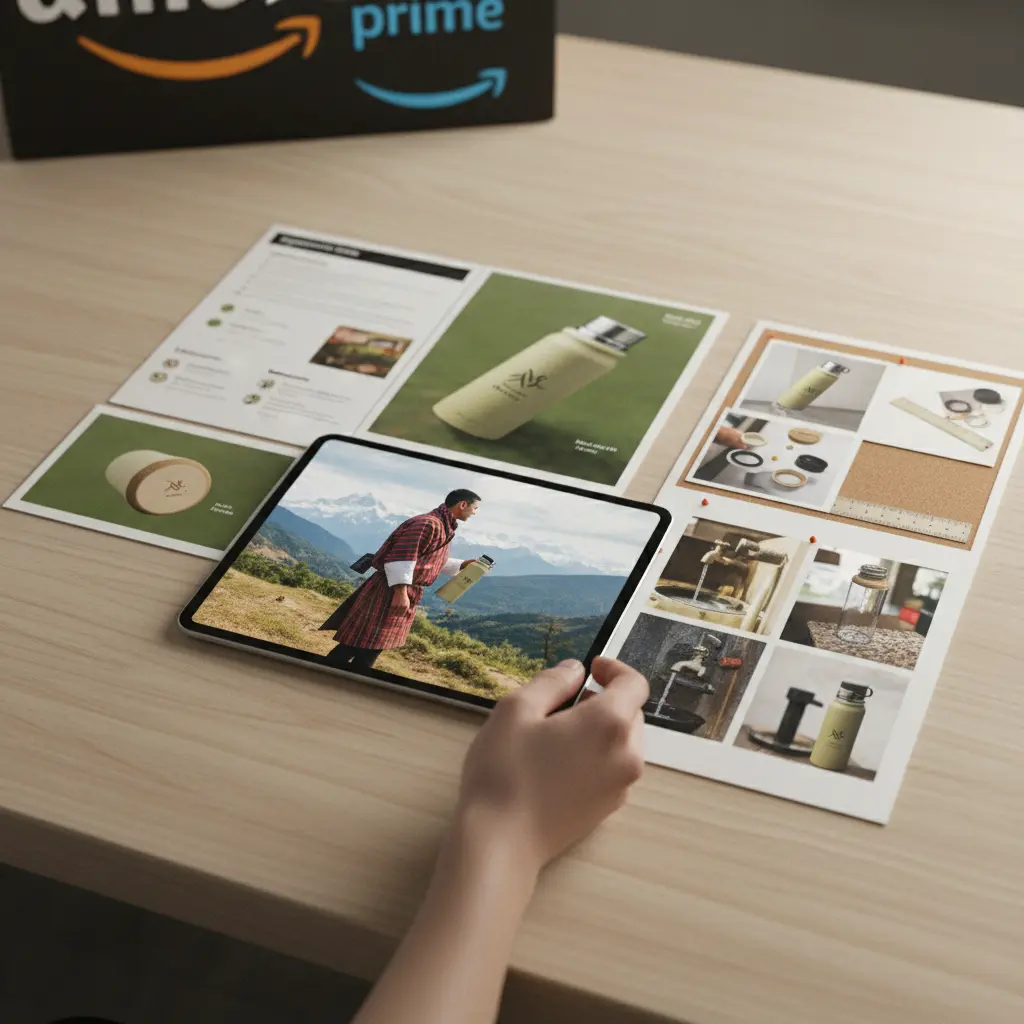
Showcasing Product Features and Details
Customers want to understand precisely what makes your product unique and how it functions. Customers want to understand precisely what makes your product unique and how it functions. This often means going beyond aesthetics to highlight the engineering, materials, and specific advantages. Detail shots and infographics are powerful tools here. Think about what a customer would inspect if they could hold the product in their hands, then translate those inspections into compelling images.
- Component Breakdown: Use images to illustrate individual parts, especially for items requiring assembly or with multiple accessories. Labeling key components clarifies their purpose.
- Material Quality: Provide close-up textures for textiles, finishes for electronics, or grain for wood products. This assures buyers about tactile quality.
- Unique Mechanisms: If a product has a special opening, folding, or adjustable feature, capture it in action or with clear diagrams.
- Dimensions and Scale: Always include an image with dimensions. For smaller items, show them in a hand; for larger items, show them in a room setting or next to a common object for scale.
- Technical Specifications: Convert dense technical data into easy-to-read infographic images. This could include power requirements, weight capacity, or connectivity options.
Scenario: New Kitchen Gadget Launch
Situation: Launching a multi-functional kitchen gadget that chops, slices, and dices. Competitors often show only one function.
Recommended Creative Approach: Create a series of infographic-style images showing each function with clear, labeled results. Include a close-up of the interchangeable blades and a diagram demonstrating how to switch them safely.
Alternative Option: A short animated GIF or video (if allowed by Amazon) showing the gadget in action for each function.
What to Avoid: A single, busy image attempting to show all functions simultaneously without clear separation or explanation. Avoid generic stock photos of chopped vegetables that don't directly feature your product.
Explanation: Clear, segmented visuals help buyers understand the gadget's full capability, justifying its price and demonstrating superior utility over single-function alternatives. For more on this, review Elevating Amazon Listing Visuals with AI, No Studio Required.
Lifestyle Visuals: Demonstrating Use Cases
Lifestyle images place your product within a relatable context, allowing potential buyers to envision themselves using it. Lifestyle images place your product within a relatable context, allowing potential buyers to envision themselves using it. This is where you connect with customers on an emotional level, showcasing benefits rather than just features. Lifestyle images are crucial for products like apparel, home decor, electronics, and even pet supplies, where the context of use is as important as the product itself.
When planning lifestyle shots, consider your target audience's demographics and aspirations. What kind of environment would they use your product in? What problems does it solve in their daily lives? Remember that on Amazon, you have 0.2 seconds to get the click. Lifestyle images increase conversion by 25-40% and justify 20%+ higher prices.
Scenario: Selling a Minimalist Backpack
Situation: Selling a minimalist, urban backpack. The target audience values style, comfort, and functionality for commuting or travel.
Recommended Creative Approach: Use diverse models in various urban settings-a person commuting on a train, walking through a park, or working in a cafe with the backpack. Show internal organization with a laptop, water bottle, and books neatly arranged.
Alternative Option: Create a short, dynamic video showcasing the backpack in a fast-paced city environment, highlighting its quick-access pockets and weather resistance.
What to Avoid: Generic studio shots that lack context or models who don't reflect the target demographic. Avoid images that don't show the backpack worn, failing to demonstrate its ergonomic design.
Explanation: Lifestyle imagery helps buyers visualize the backpack fitting into their daily routine, emphasizing its practical benefits and aesthetic appeal in real-world scenarios. This moves beyond a simple product shot to show how it enhances their life.
Visuals That Answer Customer Questions and Overcome Objections
Many secondary images should proactively address questions that arise during the buying process. Many secondary images should proactively address questions that arise during the buying process. Think about the FAQs you receive or common complaints for similar products. These visuals build confidence and reduce friction points.
| Use Case | Best Creative Approach | What To Avoid |
|---|---|---|
| Sizing & Fit | Model shots for apparel, size charts for electronics, comparison images (e.g., small vs. large hand) | Vague descriptions, tiny text, models that don't represent diverse body types |
| Compatibility | Infographics listing compatible devices/models, connection diagrams | Assuming universal compatibility, text-heavy lists without visuals |
| Installation/Setup | Step-by-step diagram, numbered sequence of actions, simple assembly GIF | Complex instructions, blurry photos of parts, no visuals |
| Care & Maintenance | Iconographic representation of washing/cleaning instructions, 'before & after' of cleaning | Only text-based care tags, unclear symbols |
| Durability | Images showing product in challenging environments, close-ups of reinforced areas | Generic claims without visual proof, abstract 'strong' images |
| Safety Features | Visuals highlighting safety certifications, child-lock mechanisms, non-slip bases | Omitting crucial safety details, implying safety without demonstration |
| Environmental Impact | Recycling symbols, 'eco-friendly' materials being used (e.g., bamboo), packaging details | Greenwashing without specific visual evidence |
| Package Contents | A clear 'what's included' flat lay image with all items visible | Just a picture of the box, ambiguous item count |
Scenario: Selling an Advanced Coffee Maker
Situation: Selling a coffee maker with a complex brewing system and specific cleaning needs. Customers often ask about maintenance and water filter replacement.
Recommended Creative Approach: Create a clear diagram showing where the water filter is located and how to replace it. Include an infographic with simplified cleaning instructions, perhaps showing an easy-to-remove part. Add a 'what's in the box' image showing all included components like the filter and cleaning brush.
Alternative Option: A brief product video demonstrating the cleaning process and filter replacement, accessible via a QR code in one of the images or within A+ Content.
What to Avoid: Expecting customers to read a dense manual for basic operation or cleaning. Avoid images that only show the exterior, leaving key maintenance questions unanswered.
Explanation: Proactively addressing these concerns with visual aids significantly reduces customer service inquiries and post-purchase dissatisfaction, building confidence in the product's ease of use and longevity. Consider reviewing Why Your Amazon Images Are Failing: Common Mistakes to Avoid to ensure image quality.
Leveraging AI for Scalable Secondary Image Production
Creating a diverse set of high-quality secondary images for every product can be time-consuming and expensive. Creating a diverse set of high-quality secondary images for every product can be time-consuming and expensive. AI-powered tools offer a solution, allowing brands to generate variations, lifestyle shots, and infographics without traditional photoshoots.

The AI Workflow for Secondary Images
AI tools can take your existing product-on-white images and transform them into compelling secondary visuals. AI tools can take your existing product-on-white images and transform them into compelling secondary visuals. This workflow significantly reduces time-to-market for new products and enables rapid A/B testing of different visual concepts.
- Background Removal & Isolation: Start with a clean product image. AI can accurately remove backgrounds, isolating the product for placement into new scenes.
- Scene Generation: Input text prompts describing the desired background or lifestyle context (e.g., 'product on a modern kitchen counter,' 'person using product in a home office'). AI generates realistic scenes.
- Model Integration: For apparel or lifestyle products, AI can add diverse models wearing or interacting with your product in various poses and settings.
- Infographic Elements: AI tools can assist in creating graphic overlays, text boxes, and icons to highlight features or specifications on existing images.
- Localization: Translate text on infographic images for different Amazon marketplaces (e.g., Amazon.de, Amazon.co.uk), ensuring global relevance. See Global Ecommerce Visuals: AI Localization for Diverse Markets for more.
Scenario: Expanding Product Line for Shopify and Amazon
Situation: A small business is rapidly expanding its product line across both Shopify and Amazon, needing high-volume creative assets quickly without budget for multiple photoshoots.
Recommended Creative Approach: Utilize an AI platform to generate diverse secondary images for new product variations. For a new line of activewear, use AI to create lifestyle shots featuring models with different body types in various fitness settings (gym, outdoors) from a single product image. Simultaneously, create infographic-style images highlighting fabric technology and sizing details.
Alternative Option: Focus on UGC generation using AI to complement a smaller set of core brand images, leveraging authentic-looking content for both platforms. Check out How to Create Shopify Product Page Images with AI That Increase Conversion Rate.
What to Avoid: Delaying new product launches due to long photography lead times. Resuing the exact same image set for every product variation without customization, which can lead to buyer confusion or a stale brand image.
Explanation: AI provides a scalable, cost-effective solution for maintaining a fresh and diverse visual catalog across multiple sales channels, ensuring that each product has compelling secondary images tailored to its specific needs and target audience. For broader AI application, visit My UGC Studio Pricing.
Best Practices for Amazon Secondary Images
Maximizing the impact of your secondary images requires adherence to Amazon's guidelines and a strategic approach to visual storytelling. Maximizing the impact of your secondary images requires adherence to Amazon's guidelines and a strategic approach to visual storytelling.
- High Resolution: Always upload high-resolution images that allow for zooming. Amazon recommends at least 1000 pixels on the longest side.
- Mobile Optimization: Design images with mobile viewers in mind. Text on infographics should be large and legible on smaller screens.
- Diversity in Content: Mix lifestyle shots with feature callouts, dimension images, and perhaps social proof. Don't use seven variations of the same product shot.
- Consistency: Maintain a consistent brand aesthetic across all your images (lighting, color palette, style).
- A/B Testing: Regularly test different secondary image arrangements and content to see what resonates best with your audience. Amazon provides tools for this, or you can use third-party solutions.
- Compliance: Ensure all images adhere strictly to Amazon's community guidelines, avoiding prohibited content like price mentions or contact information.
Scenario: Optimizing an Existing Amazon Listing
Situation: An existing Amazon listing for a popular skincare product has good sales but a high return rate due to customers misunderstanding the product's texture and application.
Recommended Creative Approach: Revamp the secondary images to include a close-up texture shot on a model's hand, a step-by-step visual guide on how to apply the product for best results, and a before-and-after image (if permissible and realistic) demonstrating its effect. Add an infographic clarifying ingredient benefits.
Alternative Option: Integrate UGC visuals showing real customers demonstrating their application routine, generated and refined using AI to maintain quality. For dropshippers, this can be crucial as discussed in UGC Content for Shopify Dropshippers: A Practical 2026 Workflow Guide.
What to Avoid: Simply adding more generic lifestyle shots without addressing the specific customer pain points. Avoid using images that are not high-quality or that fail to convey crucial information clearly.
Explanation: By specifically targeting the identified customer confusion with clear, informative visuals, the listing can reduce returns and improve customer satisfaction. This proactive visual communication directly addresses prior objections and enhances the buying experience.