Why does automated video often feel sterile to modern shoppers?
Consumers are highly sensitive to over-processed advertising. Consumers are highly sensitive to over-processed advertising. When browsing social feeds, people can spot synthetic visual patterns within milliseconds. Standard automated templates often use perfect, artificial studio backgrounds that look entirely detached from reality. When a premium bottle of face oil or a hand-poured candle is dropped into a clinical, hyper-clean digital render, it signals a lack of authenticity. The product appears disconnected from its environment, featuring flat shadows, artificial highlights, and zero physical interaction. This visual mismatch makes the brand look cheap and untrustworthy.
To avoid this, brands must shift away from sterile digital mockups and focus on producing realistic environmental context. Authentic visual content depends on micro-imperfections such as natural sunlight variations, soft shadows, and organic textures like wood, concrete, or linen. These elements help the product blend naturally into its scene, ensuring it resembles a real photo captured in a genuine living space. For a deeper look at why realistic visuals outperform sterile studio environments, see our analysis on TikTok ads versus studio productions.
Six real-world scenarios for scaling video without losing the human touch
Managing creative production at scale requires matching your automation efforts with the specific demands of each platform. Managing creative production at scale requires matching your automation efforts with the specific demands of each platform. Here are six operational scenarios that show how to execute this balance effectively across different marketing channels.Scenario 1: Shopify Home Decor Refresh
Situation: A home decor store needs to update 40 product pages with lifestyle videos showing their linen pillow covers in different bedroom settings.
Recommended creative approach: Capture one high-resolution master photo of the pillow, then generate realistic bedroom scenes with warm morning light and soft shadow overlays.
Alternative option: Hire a local photographer to style 40 distinct bedroom sets manually.
What to avoid: Do not drop the pillow into clinical, solid-color backgrounds with harsh digital drop shadows.
Explanation: This approach maintains realistic fabrics while significantly reducing studio staging overhead.
Scenario 2: Amazon Listing Upgrade for Coffee Gear
Situation: A coffee brand wants to replace static images with short-form videos showing a steel kettle being used in high-end kitchens.
Recommended creative approach: Use clean product photos of the kettle and place them into rich, textured kitchen environments featuring marble countertops and subtle steam effects.
Alternative option: Ship 15 kettles to multiple creators and wait weeks for unboxing videos.
What to avoid: Avoid generating generic, neon-lit digital kitchens that look like video game renders.
Explanation: Grounding the product in realistic environments builds credibility and matches high-ticket purchase expectations.
Scenario 3: TikTok Short-Form Ad Test for Shapewear
Situation: An apparel brand needs 30 unique creative hooks to combat high ad fatigue on TikTok.
Recommended creative approach: Keep the human element in the focus by recording a model's genuine reaction, then insert varied product-in-use backgrounds using specialized creative pipelines.
Alternative option: Shoot one long video and chop it into minor editing variations.
What to avoid: Do not use computerized voiceovers over static slideshows, which instantly triggers users to swipe away.
Explanation: Fast-moving platforms require real human motion combined with dynamic, localized background scenes to maintain viewer attention. Check our guide on creating high-converting UGC video ads for optimization tips.

Scenario 4: Pinterest Catalog Batching for Footwear
Situation: A sustainable footwear brand wants to populate its catalog with 100 outdoor lifestyle pins.
Recommended creative approach: Upload the base sneaker images and generate diverse natural settings like forest trails, wet cobblestone, and sandy paths.
Alternative option: Organize an outdoor expedition photoshoot across four different climates.
What to avoid: Do not place the sneakers on flat digital gradient backgrounds with zero surface contact.
Explanation: Shooters on Pinterest seek visual inspiration, meaning the shoes must look like they are actually stepping on physical, textured ground.
Scenario 5: Multi-Region Localization for Skincare
Situation: A skincare brand is expanding into three European countries and needs localized video backgrounds.
Recommended creative approach: Keep the core product bottle consistent while tailoring the background settings to local tastes, such as classic Parisian apartments or sunny Mediterranean bathrooms.
Alternative option: Run separate photoshoots in Paris, Milan, and Berlin.
What to avoid: Avoid using generic, non-specific stock photos that fail to reflect local home aesthetics.
Explanation: Localized environments make the brand feel native and relevant to international buyers. You can learn more about this in our article on generating UGC images with AI.
Scenario 6: Meta Retargeting Ad Variations for Pet Accessories
Situation: A dog accessory brand wants to retarget abandoned cart visitors with customer-focused lifestyle angles.
Recommended creative approach: Use a clean photo of a dog collar and render it on different dog breeds inside cozy living rooms and grassy parks.
Alternative option: Rent a photography studio and hire ten different dog models with their handlers.
What to avoid: Do not use identical product angles across all ad variations, as this leads to immediate creative exhaustion.
Explanation: Showing the product on a variety of dog breeds in natural environments helps pet owners visualize the item on their own pets, boosting conversion rates in retargeting flows.
What are the telltale signs of over-automated ecommerce content?
When visual content is generated carelessly, it carries subtle defects that instantly signal lack of quality to online buyers. When visual content is generated carelessly, it carries subtle defects that instantly signal lack of quality to online buyers. One of the most common issues is perspective distortion. This happens when a product is rendered at an angle that does not match the horizon line or camera perspective of the background scene. For example, if a heavy ceramic mug is placed on a table but seems to tilt slightly upward, the brain immediately detects the error. Other obvious tells include floating items that do not cast realistic contact shadows, or shadows that run in opposite directions from the ambient room lighting.
Another major telltale sign is the lack of physical texture matching. If a smooth, glossy leather bag is generated next to a highly textured wood surface, the light reflections on the leather must interact with that specific wood texture. When automation tools overlook these physical properties, the product looks like a poorly cropped sticker. To preserve brand integrity, ecommerce teams must use platforms designed specifically for product rendering, which lock the dimensions of the physical item while matching the exact environment lighting. Brands that struggle with these visual issues often see higher customer acquisition costs and low repeat purchases due to eroded credibility. For strategies on scaling without compromising visual quality, check our guide on scaling Shopify product creatives.
Mapping creative assets to social platforms and ad placements
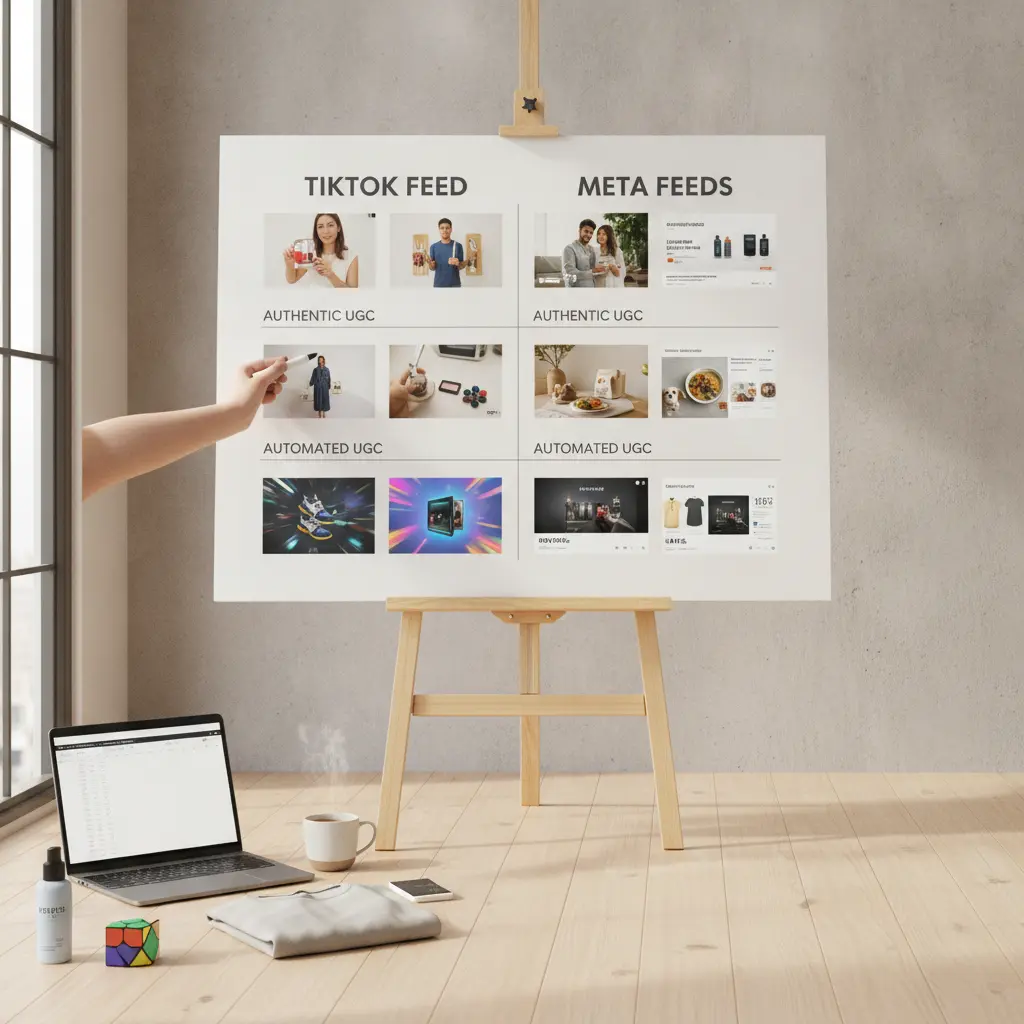
Not all automated assets work equally across all channels. Not all automated assets work equally across all channels. A visual style that performs well on Amazon can feel cold and corporate on TikTok. To build a reliable content pipeline, ecommerce teams must map their visual assets to the specific aesthetic expectations of each publishing channel. The table below outlines how to match your creative approaches with popular digital placements.
| Channel / Placement | Best Creative Approach | What To Avoid |
|---|---|---|
| TikTok Spark Ads | Messy, real-life backgrounds, native mobile-shot feel, and hand-held product angles. | Polished studio backgrounds with clean borders and robotic corporate narrators. |
| Meta Reels Ads | High contrast environments, relatable lifestyle settings, and clear product-in-use shots. | Static product images placed on plain white cards with repetitive flash animations. |
| Pinterest Idea Pins | Aspirational, step-by-step close-ups featuring natural wood, plants, and sunlight. | High-contrast, bold sales banners cluttered with promotional discount text overlays. |
| Shopify Product Gallery | Consistent, high-resolution lifestyle setups with locked-style camera perspectives. | Inconsistent lighting styles, mismatched colors, and varying horizon lines. |
| Email Newsletter GIFs | Looping sequences of the physical product being used or styled in real time. | Heavy, slow-loading video files that fail to play instantly on mobile screens. |
| YouTube Shorts | Fast-paced product breakdowns highlighting specific physical features and textured close-ups. | Overly long, slow cinematic introductions that do not show the product within three seconds. |
| Meta Dynamic Catalog Ads | Clean lifestyle backgrounds that match the product color palette and look organic. | Busy, complex illustrations or dark, moody backgrounds that hide product details. |
How do you keep 500 product photos visually consistent with My UGC Studio?
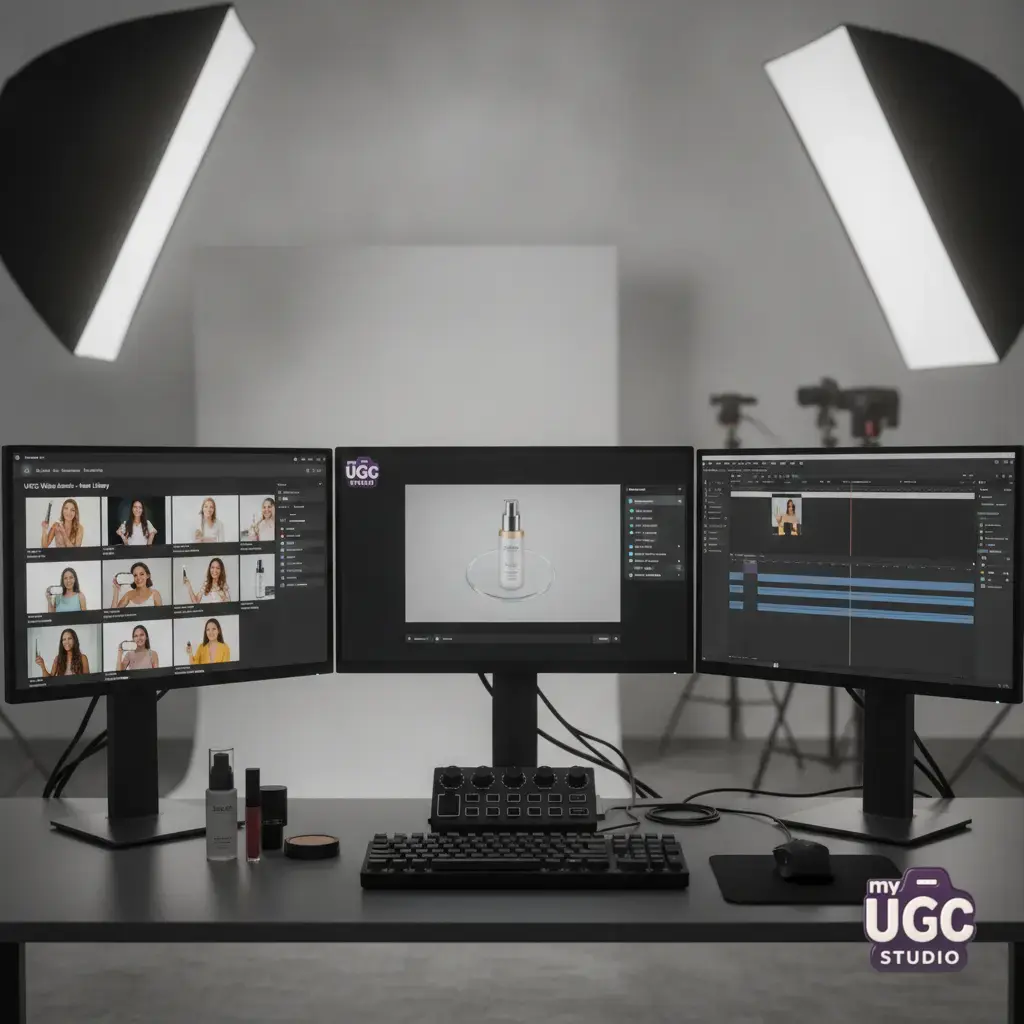
Managing a large, diverse product catalog on platforms like Shopify requires deep attention to visual consistency. Managing a large, diverse product catalog on platforms like Shopify requires deep attention to visual consistency. When you upload hundreds of items, mismatched lighting and inconsistent backgrounds make your storefront look disorganized. With My UGC Studio, online brands can maintain complete visual alignment across a massive catalog using a straightforward, operational workflow. Instead of dealing with the unpredictable outputs of generic AI tools, you can execute a controlled generation process that preserves your exact product identity.
The workflow begins by uploading a clean, high-resolution photo of your physical product, such as a leather crossbody bag, shot against a plain background. Next, you select your desired visual direction, like a warm, rustic outdoor cafe with soft afternoon light. The specialized engine of My UGC Studio then locks your product's proportions, textures, and brand markings while generating diverse angles and compositions across realistic cafe backdrops. Finally, you perform a quick quality check to ensure that the shadow angles align perfectly with the surrounding elements before exporting the finished assets directly to your Shopify catalog or Meta Advantage+ campaign. This structured process eliminates visual chaos without requiring a manual, multi-day photoshoot. To explore our pricing plans and start scaling your product visuals, visit the My UGC Studio Gallery and our pricing page.
The step-by-step pipeline for editing and QAing high-volume assets
Setting up a reliable review process is critical to ensuring your automated assets look natural. Setting up a reliable review process is critical to ensuring your automated assets look natural. Even with highly specialized engines, human oversight guarantees that no visual anomalies slip through to your active ad campaigns. To run an efficient QA loop, your creative team should follow this structured production pipeline:
- Isolate Product Assets: Upload clean, high-resolution source photos with clear product boundaries, ensuring no natural details are lost.
- Establish Reference Baselines: Select a consistent lighting angle, camera focal length, and color temperature to serve as your visual standard.
- Run Locked-Style Batch Renders: Generate the required background variations while locking key product features like scale, texture, and text.
- Review Shadows and Proportions: Manually inspect each asset for logical errors, such as floating shadows or distorted shapes.
- Apply Platform-Native Elements: Add subtle platform fonts, realistic mobile grain, or stickers to make the content look native to the channel.
- Publish and Monitor Performance: Distribute the assets to your ad accounts or product pages and track engagement metrics to identify winning variations.
This organized pipeline helps your team quickly eliminate poor renders while constantly feeding fresh, high-quality visuals into your active marketing funnels.
Balancing production speed against rising ad fatigue
Creative fatigue is one of the biggest drivers of rising customer acquisition costs on paid social platforms. Creative fatigue is one of the biggest drivers of rising customer acquisition costs on paid social platforms. TikTok and Meta reward fresh content, which means ad creatives can exhaust their audience within days of launching. To keep performance stable, marketing teams must continuously introduce new visual hooks, background styles, and presentation angles. Trying to maintain this pace using traditional video production is highly expensive and impossible to sustain.
By automating the background generation while keeping the physical product perfectly intact, brands can produce an infinite variety of authentic lifestyle scenes at a fraction of the cost. This allows you to test different seasonal aesthetics, geographic settings, and lifestyle themes without running new photoshoots. By combining automated speed with a focus on natural, realistic visual details, you can outpace creative fatigue, maintain stable click-through rates, and keep your acquisition costs low. For a comprehensive look at setting up an efficient ad testing workflow, see our guide on UGC workflows for small Shopify brands.
Strategic decisions: When to use human creators versus automated visual engines
Building a successful ecommerce brand does not mean replacing human creators entirely. Building a successful ecommerce brand does not mean replacing human creators entirely. Instead, the goal is to use automated tools where they provide the greatest operational advantage while reserving human talent for high-impact creative tasks. Understanding this distinction helps you allocate your marketing budget efficiently and achieve better overall results.
"The future of ecommerce visual content relies on hybrid workflows: let human creators establish the authentic face and voice of your brand, and use specialized automation engines to scale those product visuals across hundreds of catalog and ad variations."
Use human creators when you need complex physical demonstrations, authentic voiceover narrations, and emotional storytelling. Human talent is excellent for building personal connections with your audience during product launches or unboxing videos. On the other hand, automated visual engines are ideal for generating bulk lifestyle backgrounds, localized catalog visuals, and high-volume variations of your product in different settings. By combining both methods, you maintain a high standard of trust while keeping your creative production highly efficient and scalable.