Why Do Studio Ads and AI Ads Perform Differently on TikTok?
Differences in performance between studio ads and AI UGC stem from how viewers perceive commercial polish versus casual feed content. Viewers often skip overly formal, high-budget commercials that signal an immediate sales pitch, whereas native-looking feeds keep attention longer if the product message is clear.
The Commercial Guardrail Filter
Viewers quickly recognize traditional broadcast commercials and frequently swipe away before hearing the value proposition. When a video feels heavily staged, audience attention drops within the first two seconds unless the visual hook directly solves a specific problem.
Evaluating Visual Polish vs Relatability
High production quality communicates brand prestige, but casual framing often generates higher initial watch time on short-form feeds. Combining crisp product visuals with natural, unpolished environments creates a balanced ad asset that fits organic feed viewing.
Building Real Customer Trust
Authentic trust comes from verified customer reviews and clear product performance, not purely from video formatting. While synthetic video clips can showcase product usage, synthetic avatars do not replace genuine customer testimonials or human product reviews.
What Is a Native Feed Aesthetic and Why Does It Matter?
A native feed aesthetic aligns video formatting, framing, and lighting with organic content found on social feeds. Ads that match organic viewing habits blend into the feed, reducing immediate drop-off and encouraging viewers to watch the product demonstration.
Key Elements of Short-Form Video Formats
Short-form video success relies on clear handheld or eye-level framing, natural lighting, and crisp product framing. Direct lighting and steady framing keep product details, packaging labels, and colors accurate while avoiding over-edited studio lighting.
The Role of Synthetic Creators
Synthetic avatars provide visual framing for product demos, but explicit disclosures help maintain brand transparency. Using UGC video ads for TikTok allows marketers to illustrate product application rapidly while keeping full control over message scripts.
Simulating Real-World Usage Contexts
Placing products in familiar everyday settings helps prospective buyers visualize how the item fits into their daily routines. Simple background swaps and lifestyle scenes showcase product scale and texture without requiring full location shoots.
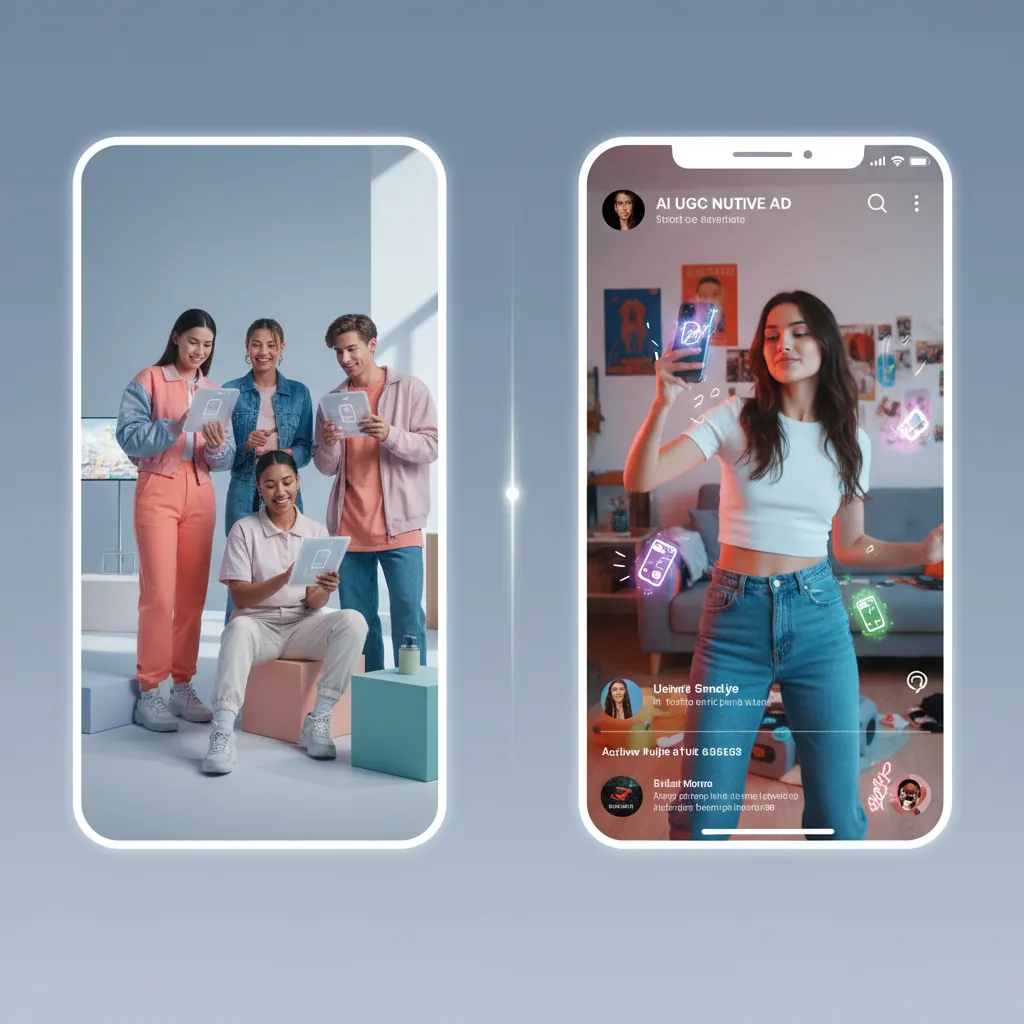
How Do Synthetic Avatars Compare to Real Creator UGC?
Synthetic avatars allow rapid script iteration, whereas real creators bring genuine personal experiences and nuanced physical handling. Generating avatar clips speeds up hook testing, but high-value SKUs or complex physical demonstrations often benefit from real creator shoots.
Finding the Right Creative Balance
Combining AI-generated motion hooks with human-led unboxing footage creates a flexible hybrid strategy for ad testing. Teams can use AI tools to generate short product motion clips for initial audience screening before hiring creators for winning concepts.
Contextual Product Displays
Showing products across realistic digital backdrops allows rapid visual variation across seasonal or promotional themes. Generating contextual background variations helps test whether lifestyle scenes outperform clean, neutral studio environments.
Iterating Video Hooks Efficiently
Testing multiple opening seconds helps identify which angle or problem statement stops the scroll. Varying text overlays, voice scripts, and initial visual frames yields clear data on early viewer retention.
Ad retention depends heavily on hook relevance and product clarity; rapid visual testing helps identify winning creative variations efficiently.
Evaluating Production Speed Across Creative Workflows
AI tools significantly speed up initial asset generation, enabling marketers to draft and test concepts faster than traditional production schedules. While manual filming requires scheduling, talent sourcing, and editing, AI video workflows deliver raw motion assets in minutes for quick review.
Testing Multiple Creative Angles
Generating diverse video hooks allows ad managers to test varied marketing messages across distinct customer segments. Fast creative generation makes it practical to test problem-focused hooks alongside benefit-focused hooks, as outlined in creating high-converting UGC video ads.
Rapid Creative Iteration
Iterative testing involves reviewing generated outputs against source photos. Unlike ordinary prompt-based AI generators that often distort packaging, My UGC Studio guarantees exact product accuracy—preserving logos, text, and labels while the background changes. Retrying failed renders or adjusting scripts before campaign launch prevents waste and maintains product integrity.
Shortening Production Timelines
Eliminating physical set construction for basic product motion drastically reduces turnaround times from weeks to days. E-commerce brands can respond immediately to changing consumer trends or inventory updates with fresh ad variations.
Calculating the Real Cost per Usable Video Creative
Calculating true ad creation cost requires accounting for credit spend, review labor, editing time, and acceptance rates. For ordinary generators, nominal generation costs do not reflect total spend when multiple renders distort items. My UGC Studio eliminates this waste by guaranteeing that your physical item's shape, details, and packaging stay accurate in every scene.
Moving from Raw Generations to Usable Assets
Measuring usable output cost involves dividing total production expenses—including software credits and editing time—by accepted video assets. Factoring in acceptance rates provides a realistic budget comparison between automated tools and traditional creator shoots.
Understanding Generation Costs and Acceptance Rates
Credit pricing structures define nominal generation costs, but real-world acceptance rates determine the true cost per asset. For example, on a Starter plan ($19/month for 50 credits), a 5-second video costs 10 credits ($3.80 nominal). At an illustrative 60% acceptance rate, the cost per accepted 5-second video is approximately $6.33 before labor. Production costs compare as follows:
| Metric / Feature | Traditional Studio Production | AI Video Generation Workflow |
|---|---|---|
| Nominal Cost per Asset | Current quote required; include editing and usage rights | 10 credits ($3.80 nominal on Starter plan) |
| Production Turnaround | 1 to 3 weeks per shoot | Minutes to hours per render |
| Iteration Capability | Requires re-shoots or manual edits | Instant re-generation and script variations |
| Product Accuracy Assurance | High physical camera accuracy | Guaranteed accurate product visuals; QA focuses on scene and composition |
| Usable Output Formula | (Production fee + editing) / finished videos | (Credits spend + labor + retries) / accepted assets |
Understanding these cost factors helps ecommerce teams allocate budgets efficiently between automated generation and manual production.
Testing Ad Personas and Angles Without Overspending
A structured persona testing strategy uses diverse avatar demographics and settings to discover which presentation resonates best with targeted audiences. Rotating presentation styles prevents audience ad fatigue while controlling content creation expenses, supporting scalable scaling Shopify brands with AI UGC .
Building Your Strategy for Diverse Ad Personas
Deploying multiple synthetic avatars allows brands to tailor ad framing for different demographic segments without hiring large talent casts. Presenting varied visual hooks helps determine if specific age or lifestyle demographics respond better to tailored messaging.
Mitigating Creative Fatigue
Rotating video creative regularly prevents frequency fatigue and keeps click-through rates stable over extended campaigns. Switching background scenes, voiceover scripts, and opening frames ensures feed content remains visually engaging.
Reaching Varied Customer Segments
Testing different aesthetic environments helps identify what appeals to distinct buyer cohorts across social platforms. A skincare product might be tested in a bathroom vanity setting for one audience segment and a travel setup for another.
Maintaining Visual Brand Standards
Consistent brand colors, logos, and packaging standards across all generated variations preserve brand equity. Quality checking every output against physical SKUs ensures that varied visual presentation does not misrepresent the actual product.

How to Run Controlled Creative A/B Tests
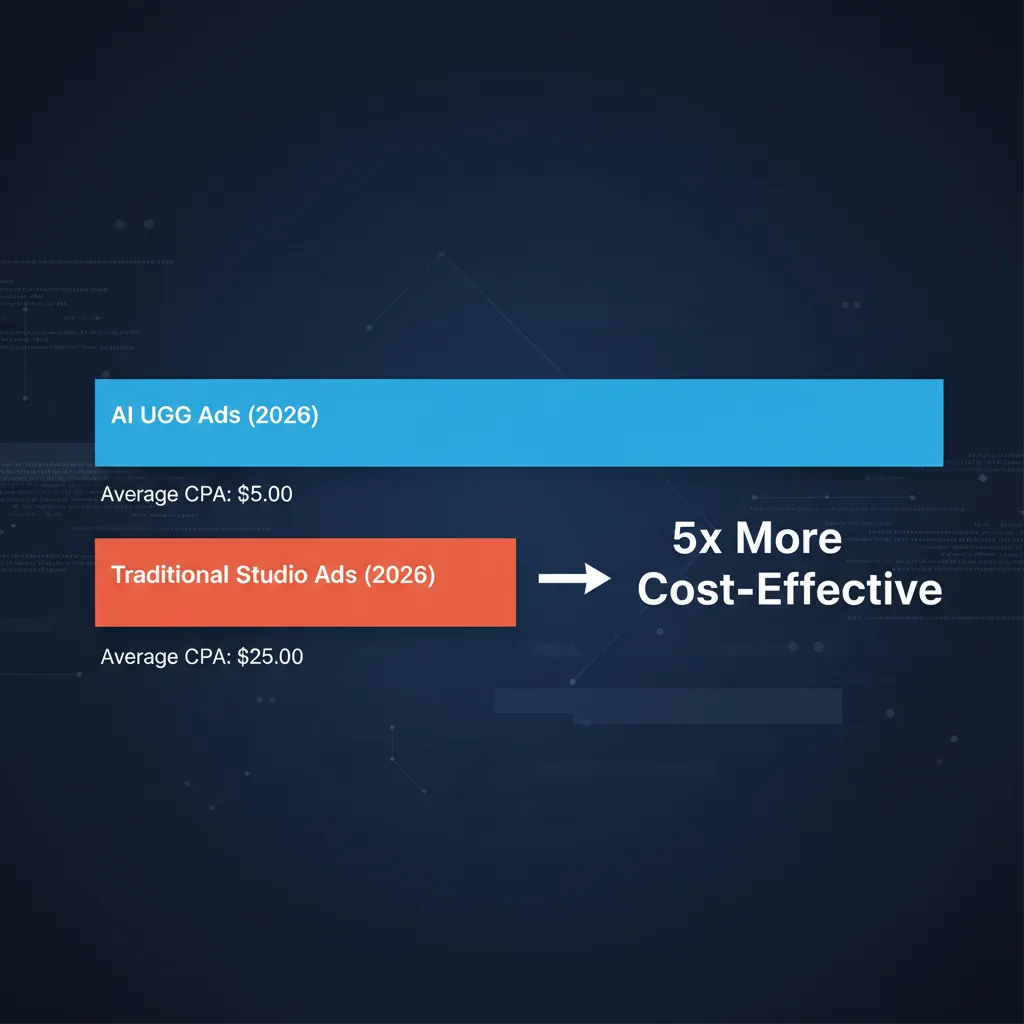
Validating whether AI UGC or studio creative performs better requires structured A/B testing with identical targeting and landing pages. Isolating creative variables while keeping audience spend, offer, and attribution windows constant provides actionable conversion data.
Focusing on Business Outcomes
Tracking downstream metrics like cost per acquisition (CPA) and return on ad spend (ROAS) is essential, as initial CTR alone does not guarantee profit. High click-through rates from flashy hooks must lead to actual completed purchases to justify ad spend.
Analyzing Early Retention Metrics
Monitoring 3-second view rates and average watch time identifies which hooks successfully hold viewer interest. Assets that achieve strong initial retention are good candidates for full conversion testing with standard media budgets.
Structuring Valid Media Tests
Running head-to-head creative splits with adequate purchase sample sizes ensures statistical validity before declaring a creative winner. Low-volume tests yield directional insights, requiring sustained ad delivery to confirm performance differences reliably.
Step-by-Step Workflow for AI Video Ad Testing
Implementing a systematic testing workflow ensures generated video assets meet quality standards before entering paid ad sets. From photo import to manual QA, a disciplined methodology reduces ad spend waste and protects brand reputation.
Executing a Controlled Creative Campaign
Following a step-by-step production and review checklist leads to consistent ad performance and dependable asset evaluation. Integrating AI video tools into your workflow enables rapid concept deployment while keeping asset verification strict.
- Define Core Value Propositions: Select 2-3 specific product benefits or problem statements to test in video hooks.
- Import Clean Source Photos: Upload high-resolution, well-lit product images into My UGC Studio via web app or Shopify sync.
- Generate Diverse Hook Variations: Create short 5-second or 10-second video renders with varied visual scenes and text overlays.
- Perform Composition and Scene Review: Inspect rendered clips to confirm scene style, movement, and channel fit; My UGC Studio guarantees your actual product's logos, colors, and proportions remain exact.
- Add Audio and Captions: Combine accepted video motion clips with voiceovers, background audio, and explicit captions in your editor.
- Deploy Head-to-Head Tests: Launch ad campaigns using identical audience targeting, landing pages, and budgets across test variables.
- Evaluate Purchase Performance: Measure CPA and ROAS over a sufficient purchase volume before scaling winning creative assets.
Scaling Successful Asset Concepts
Once a specific visual hook or angle demonstrates profitable conversions, produce secondary variations to extend campaign life. Modifying background settings or script wording builds on proven concepts without altering the core winning hook, as explored in localizing your e-commerce brand with AI presets .
Optimizing High-Volume Ad Delivery
Maintaining a balanced mix of synthetic UGC, creator videos, and polished studio assets ensures comprehensive coverage across the marketing funnel. Testing systematically across asset types maximizes media efficiency and safeguards against creative fatigue, as detailed in How to Generate UGC Images with AI in 2026.