What Are Product Videos and Why Are They Crucial for E-Commerce?
Product videos show items in motion to demonstrate texture, scale, and usage that static photos cannot fully convey. Short video formats help shoppers inspect details quickly across product detail pages (PDPs) and social feeds, helping reduce pre-purchase uncertainty when visual details match the physical SKU.
What Defines Effective Product Videos?
Effective product clips focus on clear product presentation, correct proportions, and platform-native aspect ratios. Successful clips quickly highlight the physical item in a realistic scene without adding misleading features, keeping attention focused on the actual product offer.
The Impact of Video on Customer Engagement and Sales
Short product motion provides dynamic context that helps shoppers evaluate items faster than still photography alone. Adding motion assets to ad campaigns and store pages can improve engagement metrics, though ultimate conversion and return performance depend on price, traffic quality, and product fit.
Why Does AI Make Video Production Accessible?
AI image-to-video generation removes the immediate need for camera crews and studio lighting for basic short-form motion clips. E-commerce teams can convert existing product photos into 5-second or 10-second motion clips directly, expanding social creative testing options as discussed in AI Product Photography for Dropshipping in 2026.
How Does AI Transform Image-to-Video Generation?
Image-to-video AI analyzes input product photography to estimate depth and apply subtle, synthetic motion or camera panning. This process allows store owners to turn clear smartphone or catalog shots into short video assets without re-shooting the physical item.
How Does AI Automation Work: From Still to Dynamic
Machine learning models interpret the primary product boundaries and simulate camera movement or background shifts around the item. The software generates sequential motion frames from a single input photo, creating a short video loop designed for product highlights or social placements.
How Does AI Improve Speed and Scale in Content Production
Automated generation allows teams to produce multiple motion variations across an entire catalog rapidly. Brands can rapidly generate alternate angles and motion styles for social ad testing rather than scheduling single-product shoots, a workflow detailed in Lifestyle Product Photos Without Photoshoot: The AI Revolution.
The Cost-Effectiveness of AI Video Creation
Generating short motion clips from existing images costs a fraction of physical studio video production. On a Starter plan ($19/month for 50 credits), a 5-second clip consumes 10 credits ($3.80 nominal cost), allowing cost-effective creative testing as outlined in Replace Expensive Studio Shoots with AI in 2026.
How Can You Generate Product Videos from Images with My UGC Studio?
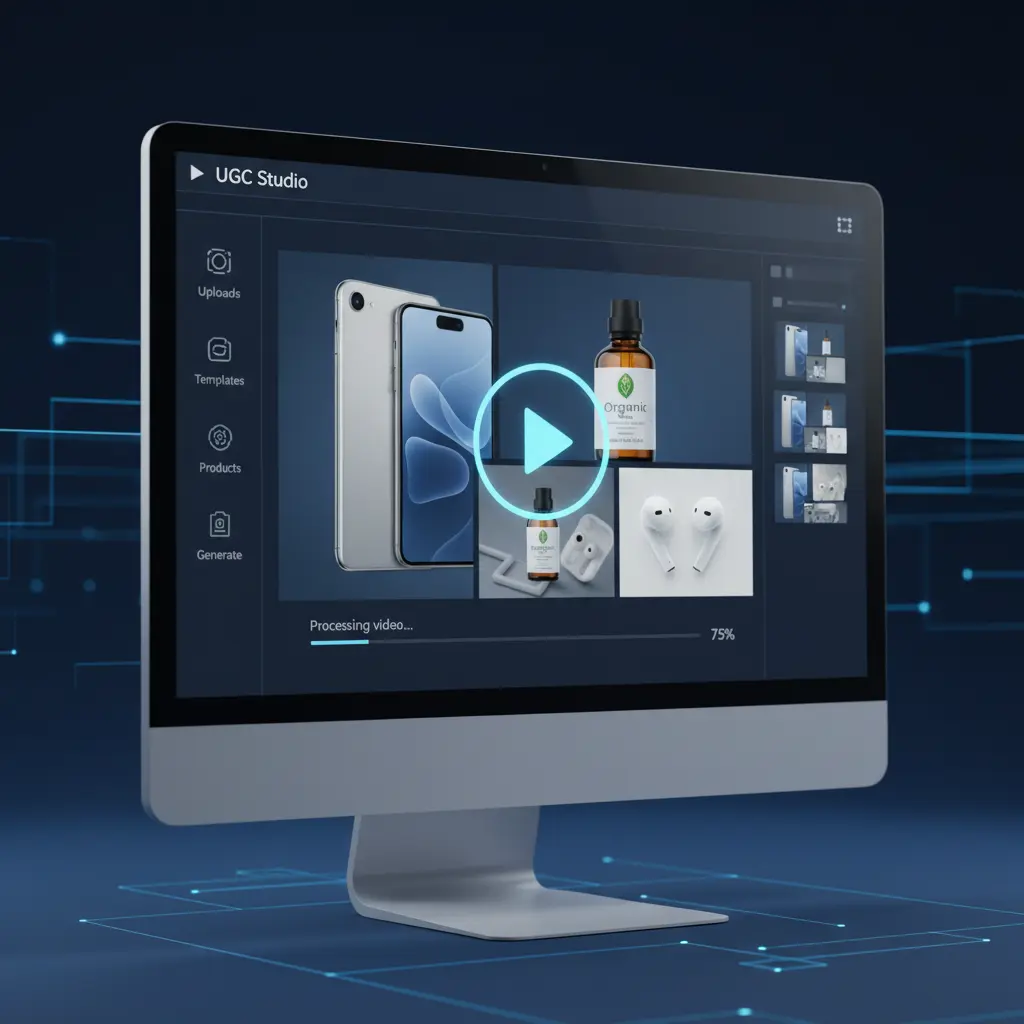
Generating short product videos in My UGC Studio follows a clear photo upload, setting selection, generation, and output review process. My UGC Studio guarantees that the real product stays accurate while the scene changes, so final checks focus on scene context and channel suitability.
- Step 1: Upload or import a clean product photo. Select a well-lit, high-contrast photo of your product where logos, text, shapes, and colors are clearly legible.
- Step 2: Select the video generation option. Locate your processed image asset and select the video generation feature (represented by the play icon) to open motion settings.
- Step 3: Choose duration and generate. Choose a 5-second video (10 credits) or 10-second video (20 credits) and initiate generation.
- Step 4: Inspect output for visual accuracy. Review the generated motion clip for scene quality and composition. Ordinary generators frequently distort logos or product geometry, whereas My UGC Studio guarantees full product accuracy automatically.
- Step 5: Export or publish to store channels. Download accepted video clips for social ads or export them directly to your Shopify catalog and product pages.
What Are the Key Benefits of AI-Generated Product Videos for E-Commerce?
Using AI to convert photos into videos expands asset options while saving time and lowering creative production barriers. E-commerce teams can populate store pages and run multi-creative ad tests without booking specialized video production crews for every SKU.
How Do AI Videos Increase Customer Attention and Engagement?
Motion naturally draws eye attention on social feeds and product pages, encouraging longer viewing times. Visual movement highlights product scale and finish from different virtual angles, making the product listing more engaging to browsing shoppers.
How Do AI Videos Lead to Higher Conversion Rates and Reduced Cart Abandonment?
Clear, accurate product demonstrations help set realistic customer expectations before checkout. Providing dynamic visuals alongside catalog specifications reduces uncertainty, helping drive confident purchasing decisions as examined in Shopify Product Page Images with AI in 2026.
The Significant Reduction in Production Costs and Time with AI Videos
Automated motion generation eliminates recurring studio rentals, lighting setups, and long video editing turnaround times. Teams generate short video assets in minutes rather than weeks, keeping marketing budgets allocated efficiently across asset creation and media spend.
How Does AI Enable Scalable Content for Diverse Marketing Channels?
AI-generated clips can be reformatted easily for product pages, email campaigns, and paid social channels. Maintaining a centralized library of source product images allows quick generation of short video assets whenever campaigns require fresh visual creative.
What Are the Best Practices for Maximizing Video Engagement and Conversions?
Creating effective AI video assets requires concise duration, clear product presentation, and rigorous quality control. Adhering to channel-specific standards and verifying image accuracy ensures generated content performs reliably in customer-facing touchpoints.
Why Should You Keep Videos Short and Engaging?
Keep short-form product videos concise (5 to 15 seconds) to retain viewer interest on mobile platforms. Focus the first two seconds on showing the physical product clearly, which is critical for social ad performance as discussed in How to Create High-Converting UGC Video Ads for TikTok in 2026.
How Should You Highlight Key Product Features and Benefits Visually?
Emphasize core product details using smooth motion framing and high-contrast lighting backgrounds. Use close-ups generated from high-resolution source photos to display important materials, textures, and product shapes clearly.
How Do You Optimize for Mobile and Social Platforms?
Render short video assets in vertical 9:16 aspect ratios for mobile-first platforms like TikTok and Instagram Reels. Design video assets to convey value visually, as many mobile shoppers view content on mute while scrolling social feeds or store pages.
Why A/B Testing and Iteration Are Crucial for Performance
Test multiple short motion variations against static images to identify which creative formats drive optimal click-through rates. Rapid generation makes creative iteration practical, but performance comparisons must maintain equal audience targeting and landing page setups to yield valid data.
What Are the Common Challenges in Video Production and How Does AI Solve Them?
Traditional video creation is constrained by high studio fees, talent scheduling, and rigid post-production timelines. Ordinary AI tools often introduce random product distortions that require constant prompt tweaks. My UGC Studio solves this by guaranteeing real product accuracy while rendering dynamic scenes.
Traditional Video Production Pain Points
Booking studios, models, and video editors for every new product launch creates high overhead and limits creative testing speed. Small e-commerce brands often struggle to maintain active video ad campaigns due to the cumulative cost and delay of traditional shoots.
How Does AI Overcome Complexity with Simplicity?
AI software automates scene movement and background generation directly from static catalog photographs. Web applications like My UGC Studio allow non-technical team members to create short product motion clips without specialized editing software.
How Can AI Help Ensure Brand Consistency Across Videos?
Setting consistent background aesthetics and lighting styles ensures generated motion clips match existing catalog branding. Standardizing source image quality across products keeps video assets visual cohesive across your entire e-commerce store.
How Can You Integrate AI Videos into Your E-commerce Marketing Strategy?
Deploying short product videos across multiple customer touchpoints maximizes the value of generated motion assets. Incorporating dynamic visuals into product detail pages, social ad campaigns, and retargeting emails enhances visual communication throughout the purchase funnel.
How Can You Enhance Product Pages with Dynamic Visuals?
Adding 5-second product motion loops to PDP galleries gives shoppers an interactive view of item dimensions and textures. Placing short product videos alongside static photos helps resolve customer questions about product scale and surface details before checkout.
How Can You Leverage Videos for Social Media Ads (TikTok/Reels)?
Use short AI product motion clips as visual components in vertical social ad testing frameworks. Product motion clips provide dynamic visual hooks for social ad formats, serving as a flexible tool for ecommerce campaigns such as UGC Ads for TikTok Shop in 2026.
How Can You Use Videos in Email Marketing and Retargeting Campaigns?
Include animated GIF previews or video thumbnails in retargeting emails to draw attention back to abandoned cart items. Dynamic product previews stand out in crowded customer inboxes, increasing click-through interest toward featured product pages.

What Are the Future Trends in AI Product Video Creation?
Emerging AI technologies focus on improving motion realism, scene lighting consistency, and automated catalog processing. As generation models evolve, e-commerce workflows will gain tighter integration between asset libraries and video rendering pipelines.
Hyper-Personalization and Dynamic Content in Future AI Videos
Advanced video workflows will allow brands to render tailored visual environments matched to demographic segments. Future tools may adjust background settings and lighting context automatically based on regional preferences or seasonal campaigns.
Interactive Video Experiences
Shoppable video formats integrate direct product links and interactive hotspots over motion streams. Combining AI-generated motion visuals with shoppable overlays shortens the customer path from discovery to purchase on mobile platforms.
How Will AI-Powered Scripting and Voiceovers Evolve?
Full ad production will increasingly combine AI visual generation with separate text-to-speech and captioning pipelines. While My UGC Studio focuses on product photo-to-motion generation, integrating voice narration and captions remains a separate step in producing finished ad creatives.
Generated human models or motion clips represent synthetic visuals rather than genuine customer testimonials. Maintaining accurate product representations and transparent marketing remains fundamental to long-term buyer trust.
How Does AI Video Generation Compare to Traditional Methods?
Comparing AI video generation with traditional video shoots highlights distinct trade-offs in cost, turnaround speed, scale, and fidelity. Evaluating both approaches helps e-commerce managers select the right production method for specific catalog and marketing requirements.
| Feature | AI Video Generation | Traditional Video Production |
|---|---|---|
| Cost | Nominal $3.80 per 5s clip on Starter ($19/mo, 50 credits); ~$6.33 per accepted clip at 60% approval rate plus labor | Current quote required; include editing and usage rights |
| Speed | Minutes per asset generation and quality inspection | Days to weeks for planning, filming, and post-production |
| Scalability | High (batch generate motion from existing photo catalog) | Low (constrained by physical filming schedules and budget) |
| Required Skills | Basic web app operation and visual QA inspection | Specialized camera operation, lighting, and video editing |
| Flexibility | Fast iteration by tweaking source photos and settings | Reshoots required for background or styling changes |
| Ideal Use | Catalog motion, PDP assets, social ad creative testing | High-concept brand anthem videos, complex hero launches |
How Can You Get Started with AI Product Video Generation Today?
Getting started with AI product video generation involves selecting capable software, gathering crisp input photos, and setting up efficient scene reviews. A structured pilot program allows you to measure usable creative costs and performance before expanding generation across your full catalog.
How Do You Choose the Right AI Platform for Your Needs?
Choose an AI video platform based on image input quality requirements, credit pricing transparency, and workflow convenience. Platforms like My UGC Studio provide direct web app generation and Shopify integration to streamline catalog video production.
How Do You Prepare Your Images for Optimal Video Output?
Input high-resolution product photos taken under clean, even lighting with high contrast against the background. Ensuring product packaging text, logos, and proportions are clear in the source photo helps the AI maintain visual accuracy during video rendering.
How Can You Start Experimenting and Scaling Your Video Content?
Begin with a pilot test on 5 SKUs, tracking generation retries, QA rejection rates, and editing time to calculate your true usable asset cost. Once your workflow is established, expand motion generation confidently across high-traffic product pages and ad campaigns.