Accelerating Creative Production with Browser Extensions
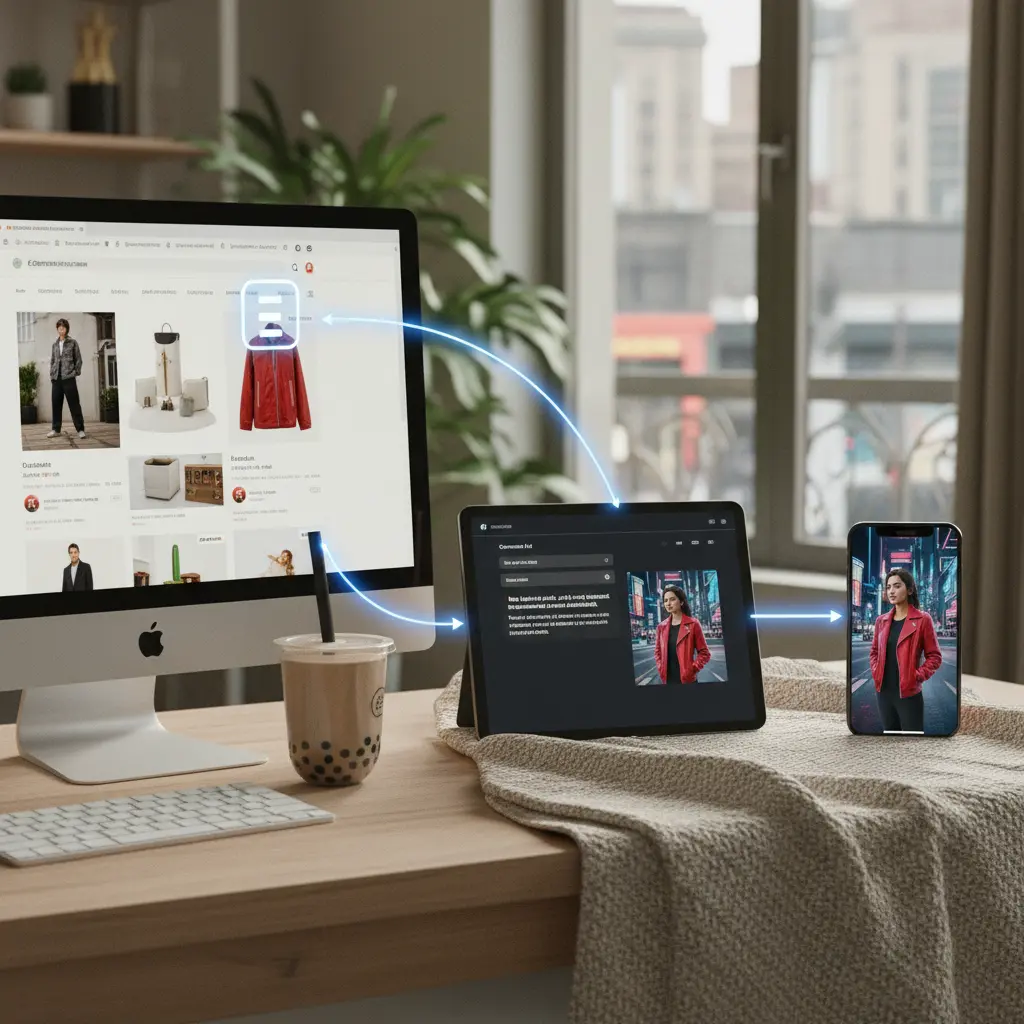
Ecommerce operations demand speed and efficiency, especially when producing visual content for various channels. Ecommerce operations demand speed and efficiency, especially when producing visual content for various channels. Manually downloading product images, uploading them to an AI tool, and then generating new variations creates bottlenecks. Browser extensions bypass this multi-step process. By acting as a direct bridge between a product image displayed on a web page and an AI image generation engine, these tools let users initiate content creation with a single click. This capability is critical for dropshippers, marketplace sellers, and brands managing large product catalogs who need to generate a high volume of unique, high-quality images quickly. Imagine finding a compelling competitor product shot, then instantly feeding it into your AI suite to generate unique lifestyle alternatives for your own listings. This is how extensions change the game.
Choosing the Right Extension for Your Workflow
Not all browser extensions are created equal, and selecting the right one depends on your specific ecommerce needs and the AI tools you integrate with. Not all browser extensions are created equal, and selecting the right one depends on your specific ecommerce needs and the AI tools you integrate with. Some extensions offer basic image capture, while others provide more advanced features like background removal or direct API connections to specific AI platforms. Consider extensions that support broad image formats, offer stable performance, and respect image privacy. Compatibility with your preferred AI generation tool is paramount. For example, if your primary goal is to quickly generate different lifestyle backgrounds for product-only shots, an extension that offers simple drag-and-drop or right-click 'send to AI' functionality is ideal. Conversely, if you need to extract elements or upscale images before AI processing, look for more robust options. Testing a few extensions in a trial environment can help identify the best fit for your team's existing creative workflow.
Practical Scenarios for Instant AI Image Generation
Browser extensions become indispensable when facing common ecommerce content challenges. Browser extensions become indispensable when facing common ecommerce content challenges. Here are several practical situations:
- Shopify Product Page Refresh: Situation - An ecommerce brand needs fresh lifestyle images for a new collection on their Shopify store. Recommended Creative Approach - Use an extension to grab product images from their existing site or even competitor sites. Instantly send these into an AI tool to generate diverse lifestyle backgrounds or model variations. Alternative Option - Manually download and upload images. What to Avoid - Generic, repetitive lifestyle shots that don't resonate with the target demographic.
- Amazon Listing Image Update: Situation - A seller wants to improve conversion rates on an Amazon product listing by adding more contextual visuals. Recommended Creative Approach - Grab existing product images from the current Amazon listing using an extension. Send them to AI to create images highlighting usage scenarios or specific features, tailored to Amazon's guidelines. Alternative Option - Commissioning new photography, which is time-consuming and expensive. What to Avoid - Low-resolution images or visuals that violate Amazon's terms of service.
- TikTok Short-Form Ad Test: Situation - A marketing team needs dozens of unique visual hooks for A/B testing TikTok ads. Recommended Creative Approach - Use an extension to capture various product shots or user-generated content examples. Quickly feed these into an AI tool to generate dynamic video snippets or image sequences, then publish directly via API if available. Alternative Option - Relying on a limited library of stock footage. What to Avoid - Overly polished or inauthentic visuals that don't fit TikTok's native feel.
- Localization Rollout for EU Market: Situation - A brand is expanding into new European markets and needs product visuals localized with relevant cultural contexts. Recommended Creative Approach - Use the extension to capture existing product images. Send them to an AI localization tool to generate new backgrounds, models, or text overlays appropriate for different EU countries, like France or Germany. Alternative Option - Creating separate photoshoots for each market. What to Avoid - Using generic, non-localized imagery that alienates local audiences. You can learn more about multilingual ecommerce visuals with AI.
- Pinterest Creative Batch for Catalog: Situation - A retailer needs a large batch of visually appealing images for their Pinterest catalog ads. Recommended Creative Approach - Grab product images from their website or supplier pages with an extension. Use AI to create high-quality, aspirational lifestyle images optimized for Pinterest's visual discovery algorithm. Alternative Option - Spending hours manually editing each image. What to Avoid - Low-quality, uninspiring images that get lost in the feed.
- Dropshipping Product Image Enhancement: Situation - A dropshipper receives generic supplier photos and needs to make them unique and branded. Recommended Creative Approach - Use an extension to capture the supplier's product images. Immediately send them to an AI tool to remove backgrounds, add realistic new environments, and incorporate brand elements. Alternative Option - Using supplier photos as-is, which leads to a generic brand perception. What to Avoid - Violating intellectual property by directly copying competitor visuals without modification. This process is essential for AI product photography for dropshipping.
Optimizing Outputs: Prompts and Settings for Ecommerce Success
Simply sending an image to an AI tool via an extension is the first step; the quality of the generated output heavily depends on the prompts and settings you apply. Simply sending an image to an AI tool via an extension is the first step; the quality of the generated output heavily depends on the prompts and settings you apply. For ecommerce, specificity is key. Instead of a vague prompt like "nice background," try "a minimalist ceramic mug on a natural oak kitchen counter with soft morning light, surrounded by fresh coffee beans." This level of detail guides the AI to produce relevant, high-converting visuals. Experiment with different styles - photorealistic, studio, outdoor, minimalist, or cozy - to see what resonates most with your audience. Pay attention to aspect ratios required by various platforms; a vertical image for TikTok will differ from a square image for Instagram or a horizontal one for a product detail page. Many AI tools allow fine-tuning of parameters like lighting, camera angle, and color palette. Mastering these inputs after a quick image capture via an extension allows for maximum creative control and efficient iteration.
Beyond Static Images: Preparing for Video Generation
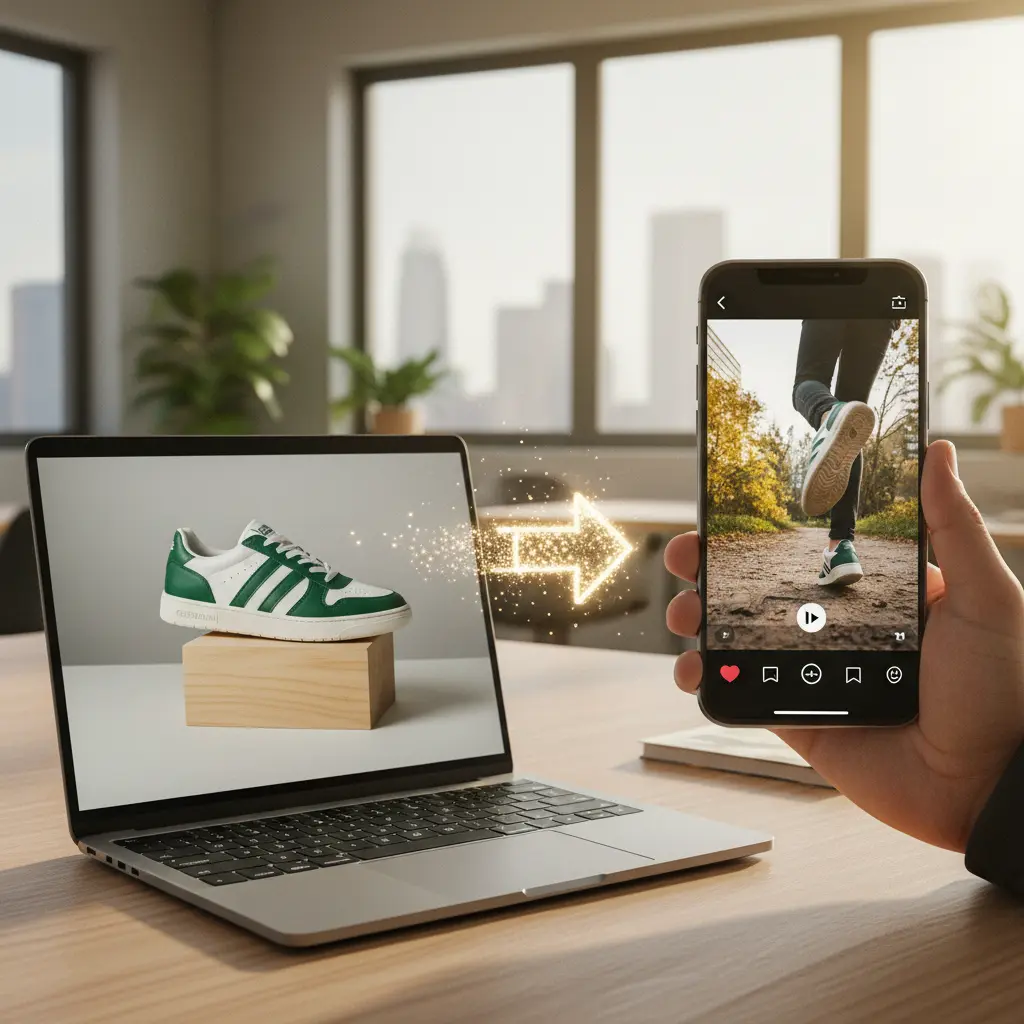
The utility of browser extensions extends beyond generating static images. The utility of browser extensions extends beyond generating static images. With the rise of short-form video content on platforms like TikTok and Instagram Reels, quickly feeding static product images into AI-powered video generators is a significant advantage. An extension can capture multiple product images or sequential shots that you then use as inputs for an AI tool to create dynamic video clips. This workflow is crucial for brands looking to expand their presence on video-first channels without the need for expensive video shoots. Imagine collecting several angles of a product from a manufacturer's site, then using an extension to push them into an AI system that animates them into a 15-second product demo. This approach supports the creation of highly engaging content, as discussed in guides on how to turn product images into TikTok, Reels, and PDP videos with AI.
Common Mistakes and How to Avoid Them
While browser extensions offer incredible convenience, common pitfalls can reduce their effectiveness. While browser extensions offer incredible convenience, common pitfalls can reduce their effectiveness. Over-reliance on generic AI prompts without specific ecommerce context often leads to bland, unoriginal outputs. Another mistake is neglecting image quality; feeding low-resolution or poorly lit source images into an AI system will typically yield suboptimal results. Always aim for clear, high-contrast product photos as your starting point. Failing to review and refine AI-generated content before publishing is also a critical error; AI tools are powerful, but human oversight ensures brand consistency and accuracy. Furthermore, ignoring intellectual property rights when using images sourced from other websites can lead to legal issues. Always ensure you have the right to modify and use any image you input. Finally, not exploring the advanced settings or different AI models within your chosen tool can limit creative potential, hindering your ability to generate truly unique visuals for channels like Shopify product pages or Amazon listings.
The Future of AI Visuals for Ecommerce
Browser extensions represent a significant step towards a more integrated and efficient ecommerce content workflow. Browser extensions represent a significant step towards a more integrated and efficient ecommerce content workflow. As AI technology advances, these extensions will likely become even more sophisticated, offering features like automated image tagging, direct content scheduling, and advanced analytics on visual performance. The goal remains to remove friction from the creative process, allowing ecommerce businesses to focus on strategy and innovation rather than repetitive tasks. We anticipate tighter integrations with marketplace APIs, direct publishing capabilities to social platforms, and even more intelligent suggestions for visual styles based on real-time performance data. This continuous evolution will empower brands to adapt quickly to market trends, test new visual concepts with minimal effort, and ultimately drive higher engagement and conversions across all their sales channels. The efficiency gained will redefine how product visuals are created, managed, and deployed.
| Use Case | Best Creative Approach | What To Avoid |
|---|---|---|
| Shopify PDP Refresh | Capture existing PDP image, send to AI for lifestyle variations. | Generic stock photos, inconsistent branding. |
| Amazon Listing Update | Grab product images, generate feature-focused or contextual scenes. | Non-compliant images, low-resolution visuals. |
| TikTok Ad Creatives | Capture diverse product angles, create dynamic short video snippets. | Overly polished, inauthentic content. |
| EU Market Localization | Capture product image, generate culturally relevant backgrounds/models. | Using US-centric visuals for European audiences. |
| Pinterest Catalog Ads | Grab website images, create aspirational, high-quality lifestyle shots. | Cluttered images, inconsistent visual style. |
| Dropshipping Enhancement | Capture supplier photos, generate unique branded environments. | Directly using unedited supplier images. |
| A/B Testing Visuals | Capture a core product image, generate multiple stylistic variations. | Testing too many variables at once, unclear hypotheses. |
| UGC Concepting | Capture user-generated content, modify for brand consistency. | Misrepresenting original UGC intent, poor quality edits. |